Operating vacuum pump system Vacuum Pump System SC 920G
26 Translation of original Operating Instructions, English, KNF 121308-121311 07/18
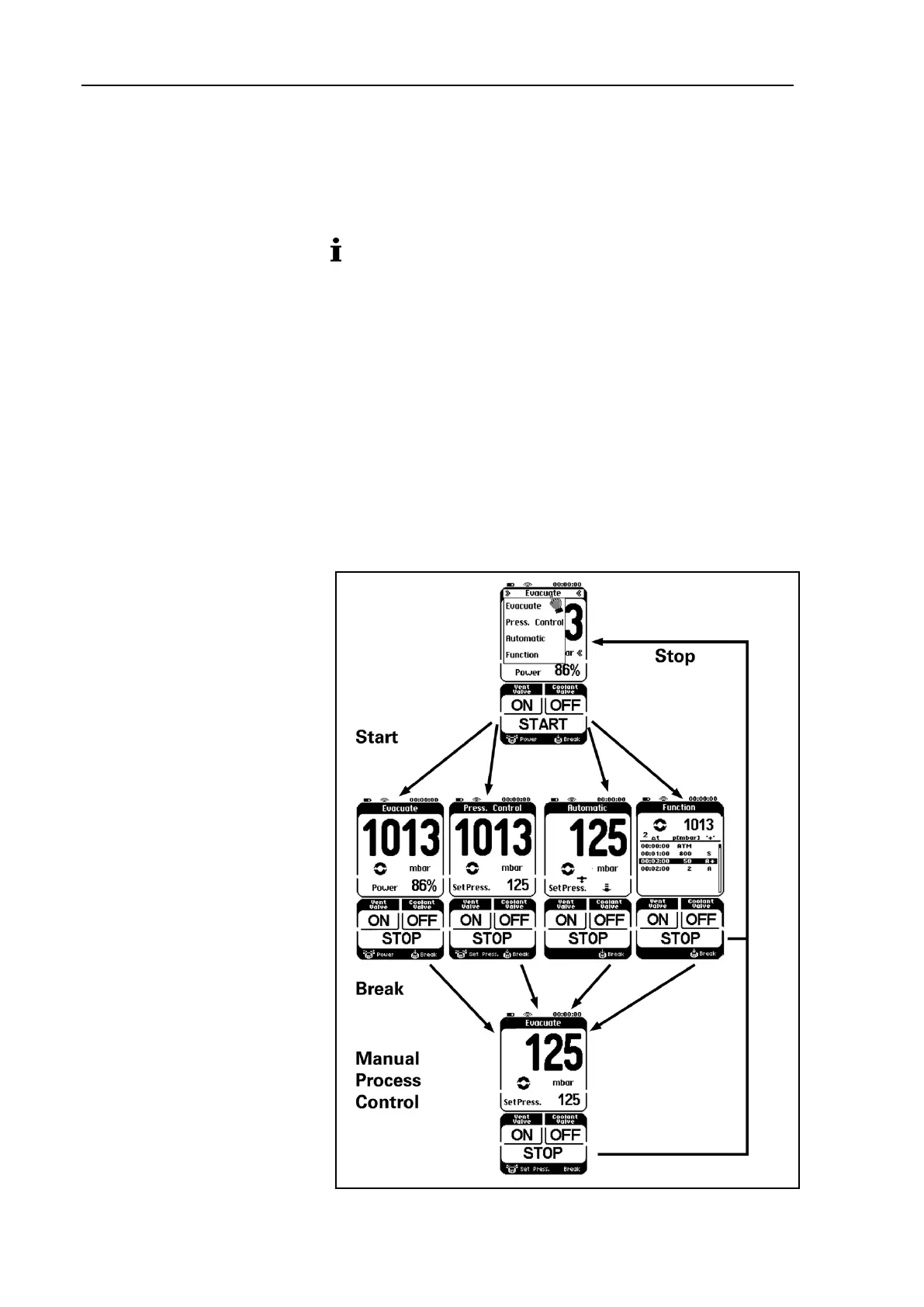
Operating modes
The current operating mode is displayed at the top of the hand
terminal's touchscreen. Press on this line of the touchscreen to
open the menu for changing operating mode (see Fig. 11, at the
top).
Operating mode can be changed only when no process is
active.
Switching to manual process control (Break)
Press briefly on the rotary/push knob:
Manual process control; actual pressure will be adopted as the
setpoint pressure and actively controlled.
Within the manual process control
Press on the rotary/push knob:
Vacuum pump system will evacuate.
Let go:
Actual pressure will be adopted as setpoint pressure.
Rotate:
Changes setpoint pressure.
Fig. 11: Operating mode menu


 To Next Page