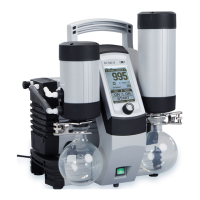
Vacuum Pump System SC 920G Servicing
Translation of original Operating Instructions, English, KNF 121308-121311 07/18 35
9.3. Changing Diaphragms and Valve Plates
Vacuum pump system is switched off and mains plug is
removed from the socket
Vacuum pump system is clean and free of hazardous materials
Phillips-head screwdriver No. 2
Service Set (see chapter 11, page 45)
Tab. 6
Always replace diaphragms and valve plates together to
maintain the pump performance.
WARNING
Health hazard due to dangerous substances
in the vacuum pump system and pump!
pending on the substance transferred, caustic
burns or poisoning are possible.
Wear protective clothing if necessary, e.g.
protective gloves.
Flush vacuum pump system before replacing the
diaphragms and valve plates (see chapter 9.2.1
page 33).
CAUTION
Danger of burns from hot pump parts
The pump head or motor may be hot even after the
pump has been shut off.
Allow the pump to cool off after operation.
Remove pump head
1. Remove tubing from the inlet and outlet connectors of the
pump.
2. Undo the two screws (Fig. 16/1) and nine screws (2) of the
head cover (3).
3. Undo two screws (6) each, and remove both covers (5) at head
cover (4).
4. Lift the head cover (3) off the pump housing (17).
5. Lift off head plate (9) with intermediate plates (10), (13) and
(14).


 To Next Page