13
SW 3400-002: Specifiable Buffer Set
Select menu: Parameter setting/System control/Buffer table
Individual buffer set (with 3 buffer solutions) for pH measurement
Buffer table
You can enter an individual buffer set (with 3 buffer solutions). To do so, you
enter the nominal buffer values for the correct temperature (range 0 ... 95 °C /
5°C steps). Then this buffer set is available in addition to the permanently set
standard buffer solutions in the “Calimatic buffer” menu (select “Table”).
Menu Display
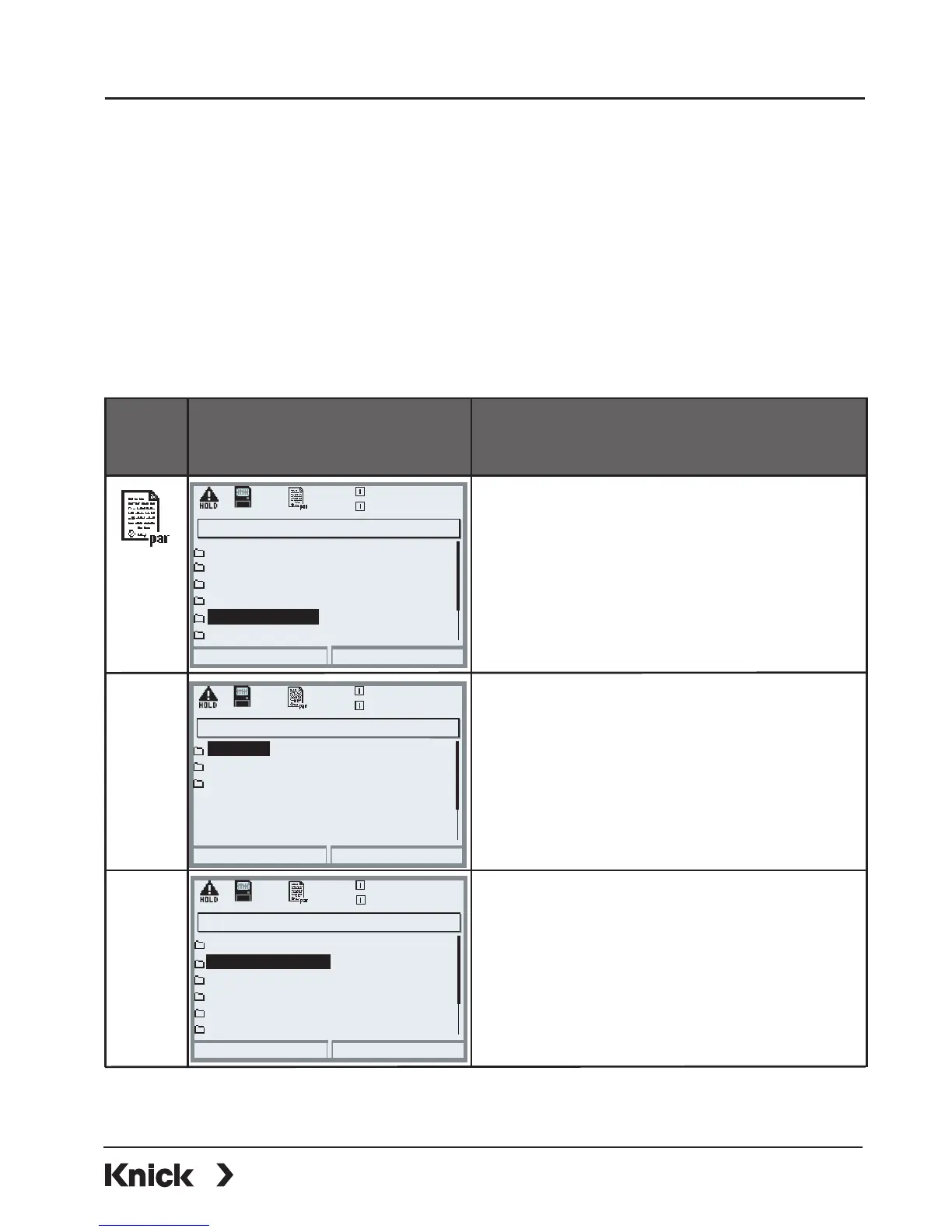
Buffer table: Entering values
To enter a buffer set
• Open parameter setting
• System control
• Select “Buffer table”
• Select buffer to be entered
• Enter nominal buffer value and all
other values for the correct temper-
ature (right/left arrow keys to select
position, up/down arrow keys to
edit number, confirm by pressing
enter.)
The special buffer set is selected as follows:
Parameter setting/Module PH/Cal preset values/Calimatic buffer/Table.
Return
25.6 °C
7.20 pH
Point of measurement
Logbook
Concentration table
Release of options
Calculation Blocks
Buffer table
System control (Administrator)
Return
25.6 °C
7.10 pH
Buffer 2
Buffer 3
Buffer 1
Buffer table (Administrator)
Return
25.6 °C
7.10 pH
Nominal buffer value
pH value at 10 °C
pH value at 15 °C
pH value at 05 °C
pH value at 20 °C
pH value at 00 °C
Buffer 1 (Administrator)
+04.00 pH
+04.00 pH
+04.00 pH
+04.00 pH
+04.00 pH
+04.00 pH



 To Next Page