36
Protos 3400(X)
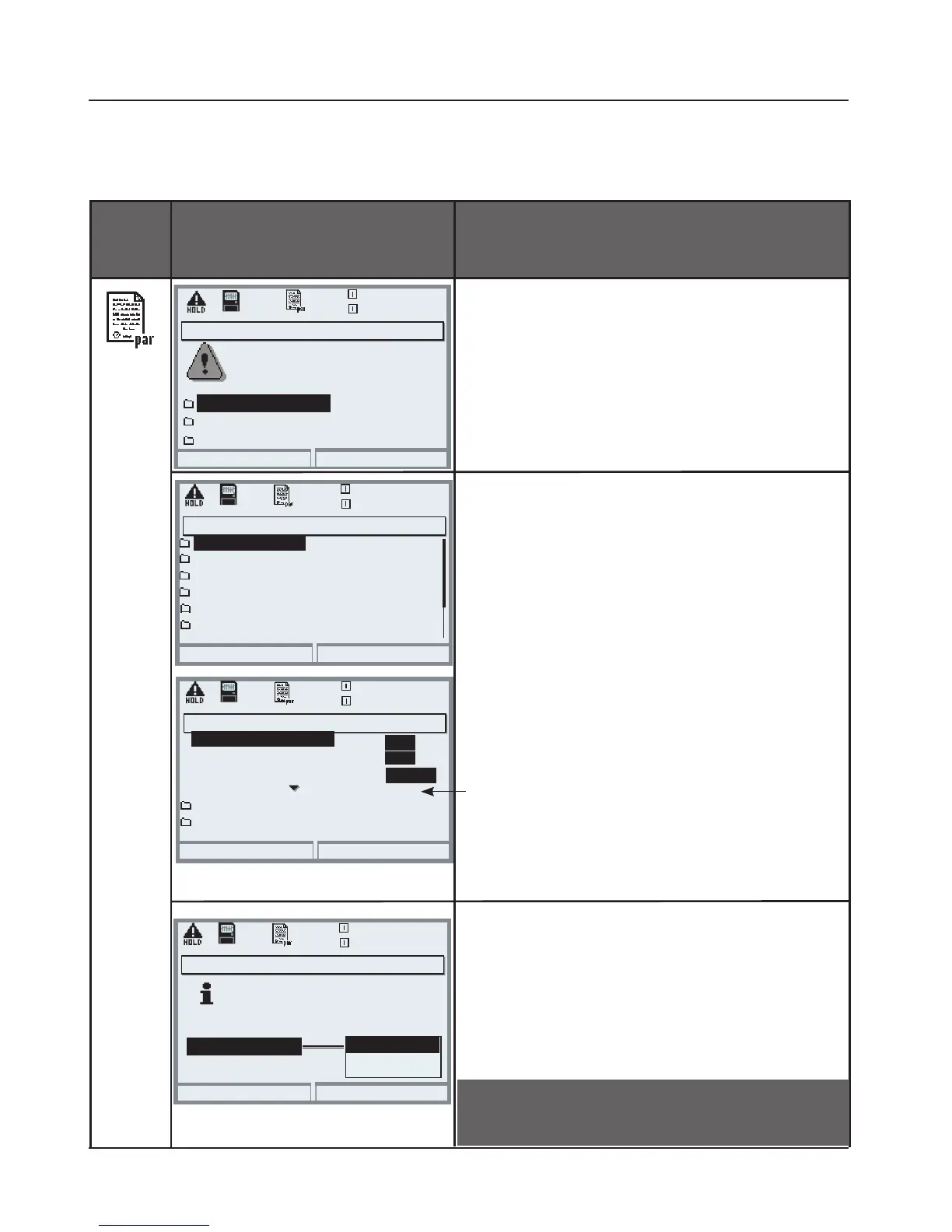
Menu Display Using the memory card
Using the memory card
• Insert SmartMedia card (Pg 32)
• Open menu selection
• par, Administrator level
• Enter passcode
• System control: Memory card
With SmartMedia card inserted, the
display shown on the left appears
(The “Memory card” line is displayed
only if there really is a memory card in
the slot).
• “Select memory card”,
press enter to confirm.
The menu is self-explanatory.
Behavior when the memory card
is full:
Continuous recording (as with a flight
recorder) or Stop (card replacement).
Copy configuration
• Save: save all device data on the
memory card
• Load: overwrite all device data with
the data from the memory card
Software update (Administrator)
Updating will change the
Return
20.4 °C
device characteristics. Perform
verification as appropriate!
Update firmware
Save firmware
0.003mS/cm
SMARTMEDIA Card: Memory Card
Parameter setting/System control/Memory card
Formatting a card
Return
25.6 °C
0.003mS/cm
Record recorder
Card full
Copy configuration
Decimal separator
Format card
Record logbook
On
Point
On
Record stop
Off
Off
Comma
Return
25.6 °C
0.003mS/cm
Identical module equipment
required for transfer.
Memory card (Administrator)
Copy configuration (Administrator)
Save
Configuration
Caution! Close memory card before
removing (Maintenance menu)
Return
25.6 °C
0.003mS/cm
Function control matrix
Time/date
Parameter sets
Point of measurement
Memory card
System control (Administrator)
Release of options
Load
Save



 To Next Page