35
Menu Display
Formatting a card
(generating a memory card)
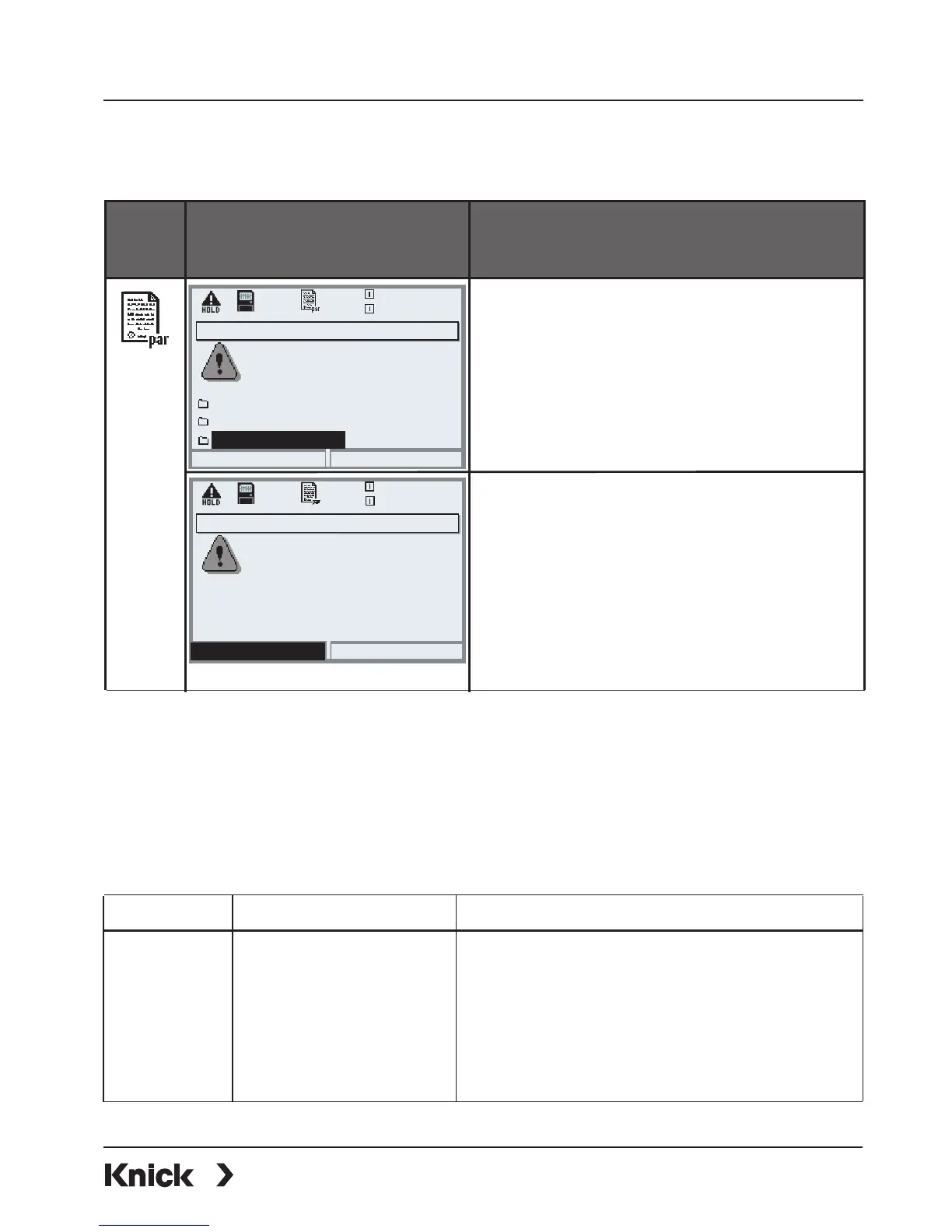
To format a card
• Insert SmartMedia card (Pg 32)
• Open menu selection
• par, Administrator level
• Enter passcode
• System control: Format card
Caution!
Formatting an update card generates
a memory card.
Refer to "SmartMedia card", Pg 36.
This process is irreversible! Double
warning messages protect against
faulty operation.
Note:
The SmartMedia card must always be formatted in the Protos.
Correct functioning of a SmartMedia card with different formatting cannot be
guaranteed.
File structure of a memory card (example):
Folder Typ. file name Remark
BACKUP BACKUP01.PAR Parameter set (Backup)
LOGBOOK L_YYMM00.TXT Logbook file
YY=year, MM=month
PARASET 1.SET Parameter set
RECORDER R_YYMMDD.TXT Recorder entry
YY=year, MM=month, DD=day
Software update (Administrator)
Updating will change the
Return
20.4 °C
device characteristics. Perform
verification as appropriate!
Update firmware
Save firmware
0.003mS/cm
SMARTMEDIA Card: Formatting a Card
Parameter setting/System control/Format card
Format card
Format card (Administrator)
Caution: All data on the
Format
20.4 °C
memory card are deleted!
0.003mS/cm
Return



 To Next Page