6 Kobo Vox User Guide
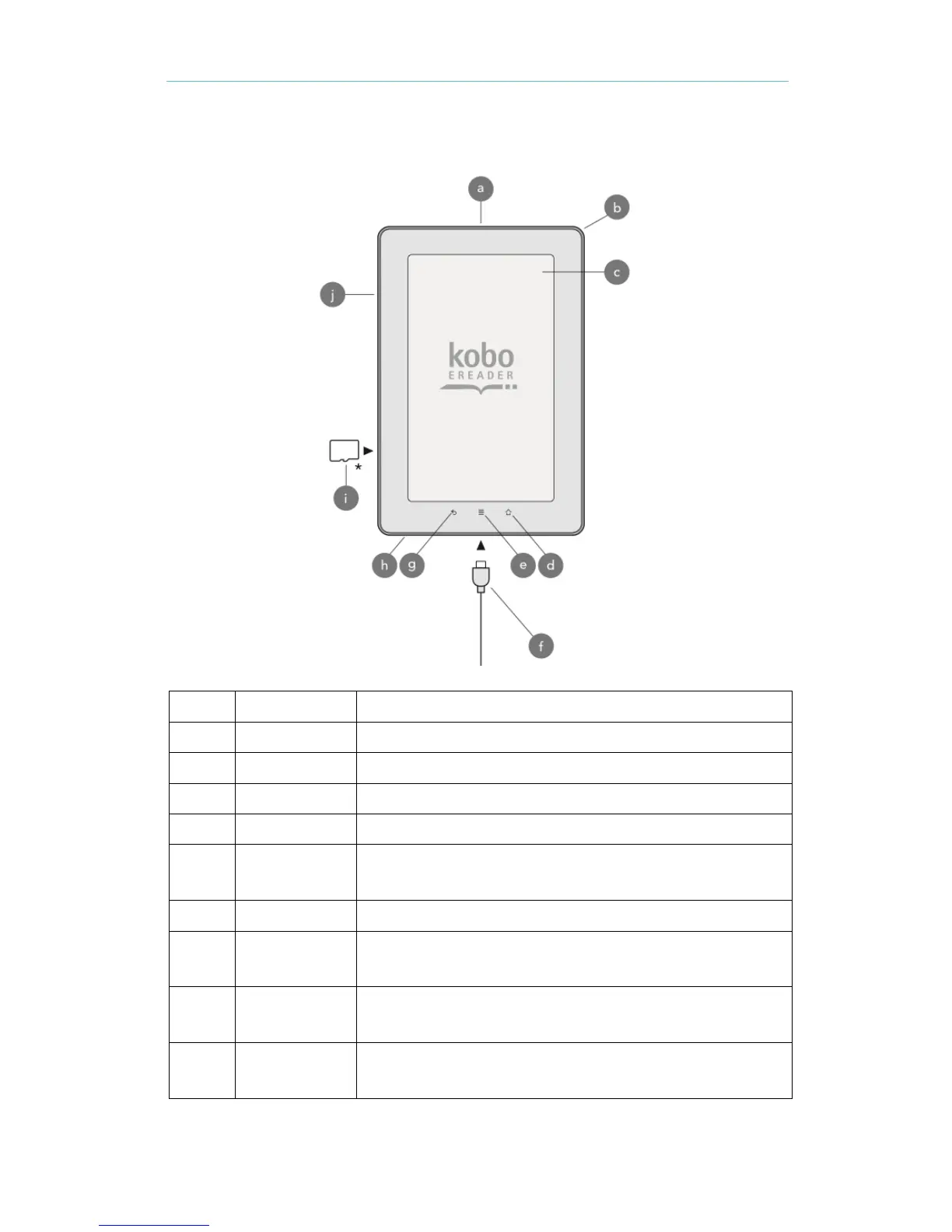
Anatomy of your Kobo Vox
Turn your Kobo Vox on or off, or put it to sleep.
Tap to return to the Home Screen.
Tap to reveal additional options.
Connect the included power adapter to charge your Kobo Vox, and
to transfer files to your eReader.
Tap to go back to the previous screen, or close a menu.
Connect a pair of headphones to listen to music, video, and audio
books.
Load books, music and other files on your Kobo Vox by inserting a
Micro SD card.
Press the volume buttons to increase or decrease the audio
volume.



 To Next Page