14 www.kodak.com/go/support
ENGLISH
IMPORTANT:
Remember that you can take a video anytime!
Just press the Video Record button.
See the Extended user guide www.kodak.com/go/m577manuals
See How-To videos www.kodak.com/go/m577demos
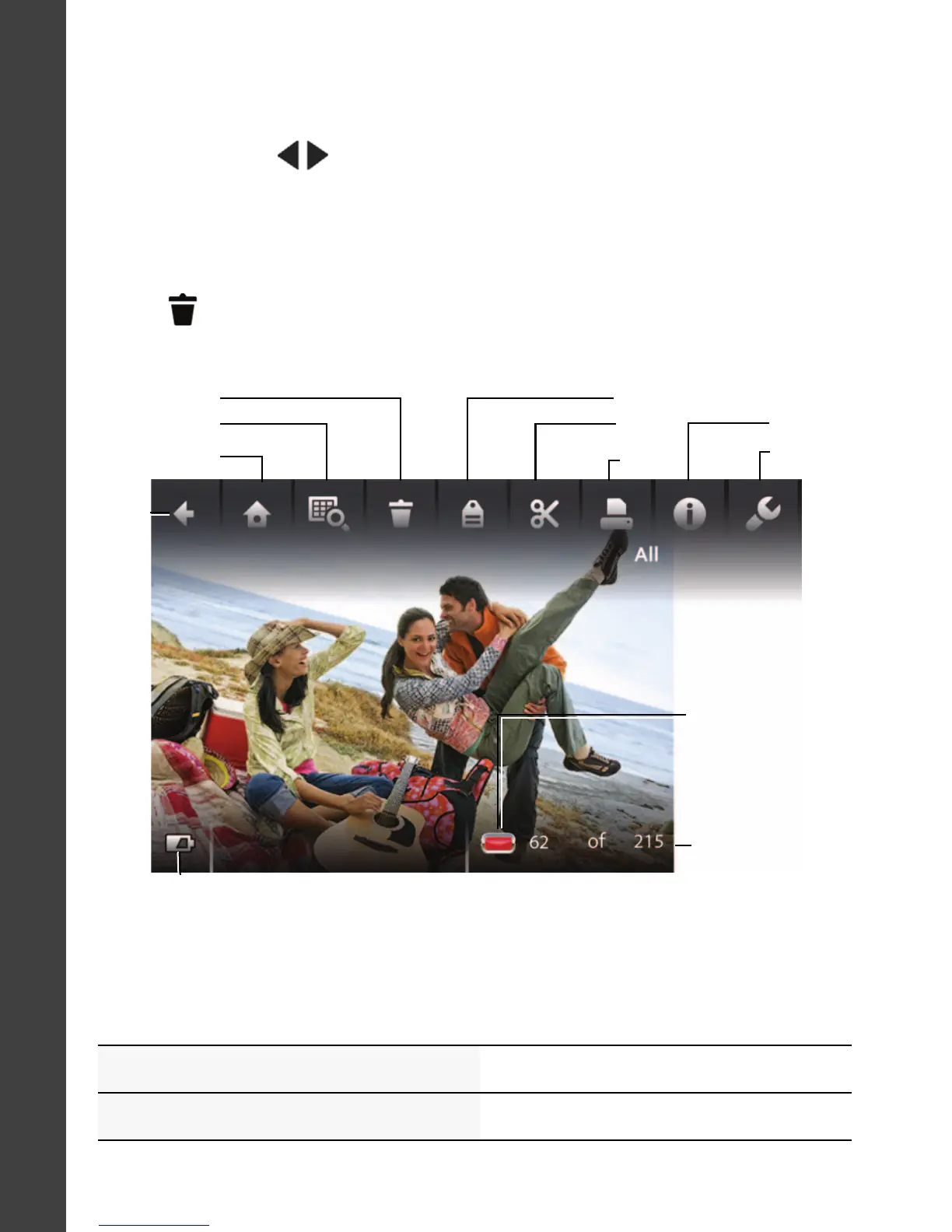
Other things you can do in Review
Battery
level
Tag
Multi-up
Edit
Picture/video
number
Picture has
been marked
for Share
Delete
Back
Home
Print
Settings
Info
Swipe to see
these tools.
• Tap Play to play videos.
• Swipe a picture
to see the previous or next.
•
Tap
to delete pictures/videos.
(Touch and hold the left/right side of the LCD to fast-forward
or fast-reverse.)
urg_01219.book Page 14 Wednesday, March 9, 2011 11:52 AM












 To Next Page