www.kodak.com/go/support 9
ENGLISH
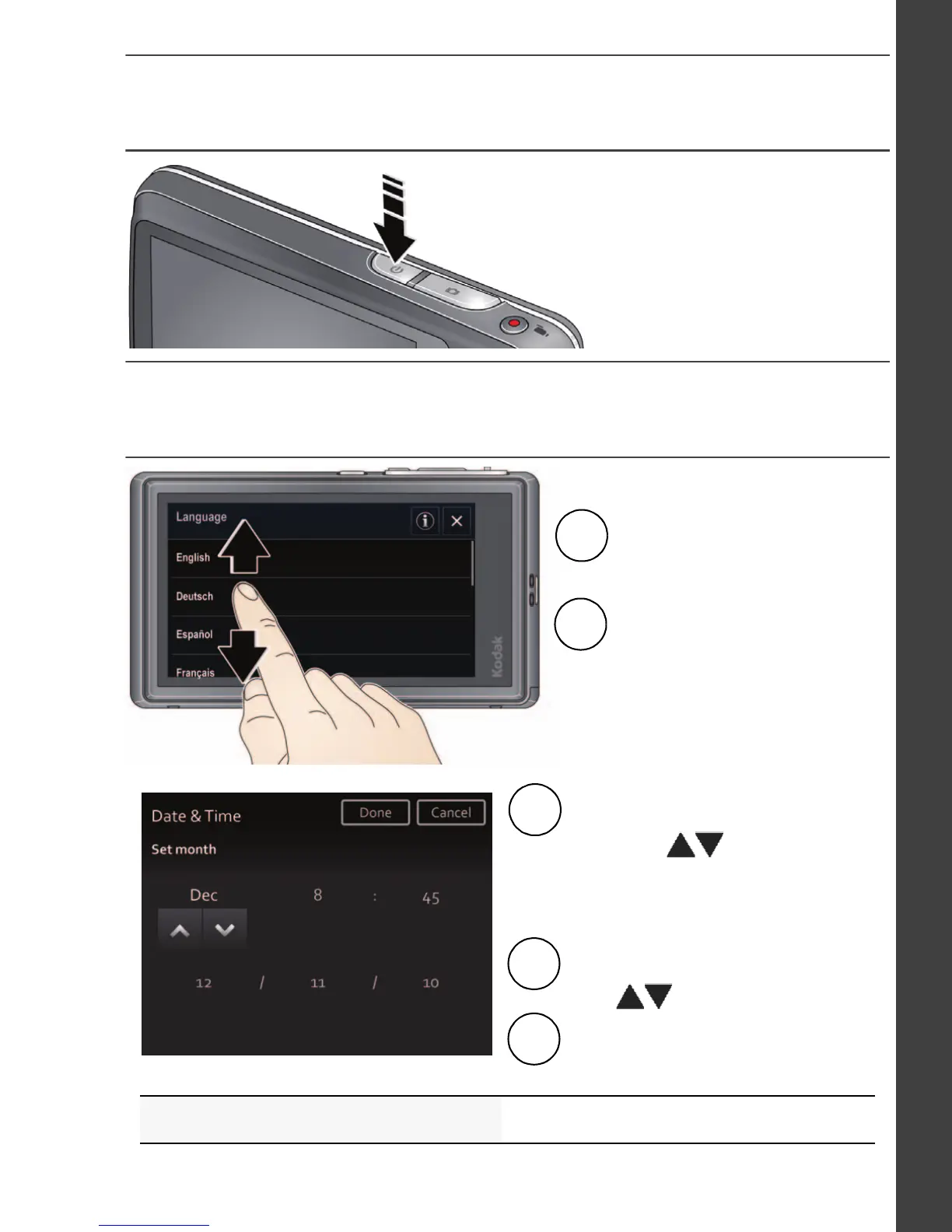
Turn on the camera
Set the language, date/time, sharing
See the Extended user guide www.kodak.com/go/m577manuals
Set the language:
Drag or swipe up/down
to view your language.
1
2
Tap your language,
then tap Done.
Set the date and time:
Tap the Month, Date, or Year,
then tap
1
2
Tap the hour or minutes, then
tap
3
Tap Done.
(Tap MDY to change the date
format.)
to change it.
to change it.
urg_01219.book Page 9 Wednesday, March 9, 2011 11:52 AM












 To Next Page