www.kodak.com/go/support 19
1 Do more with your camera
Use the flash
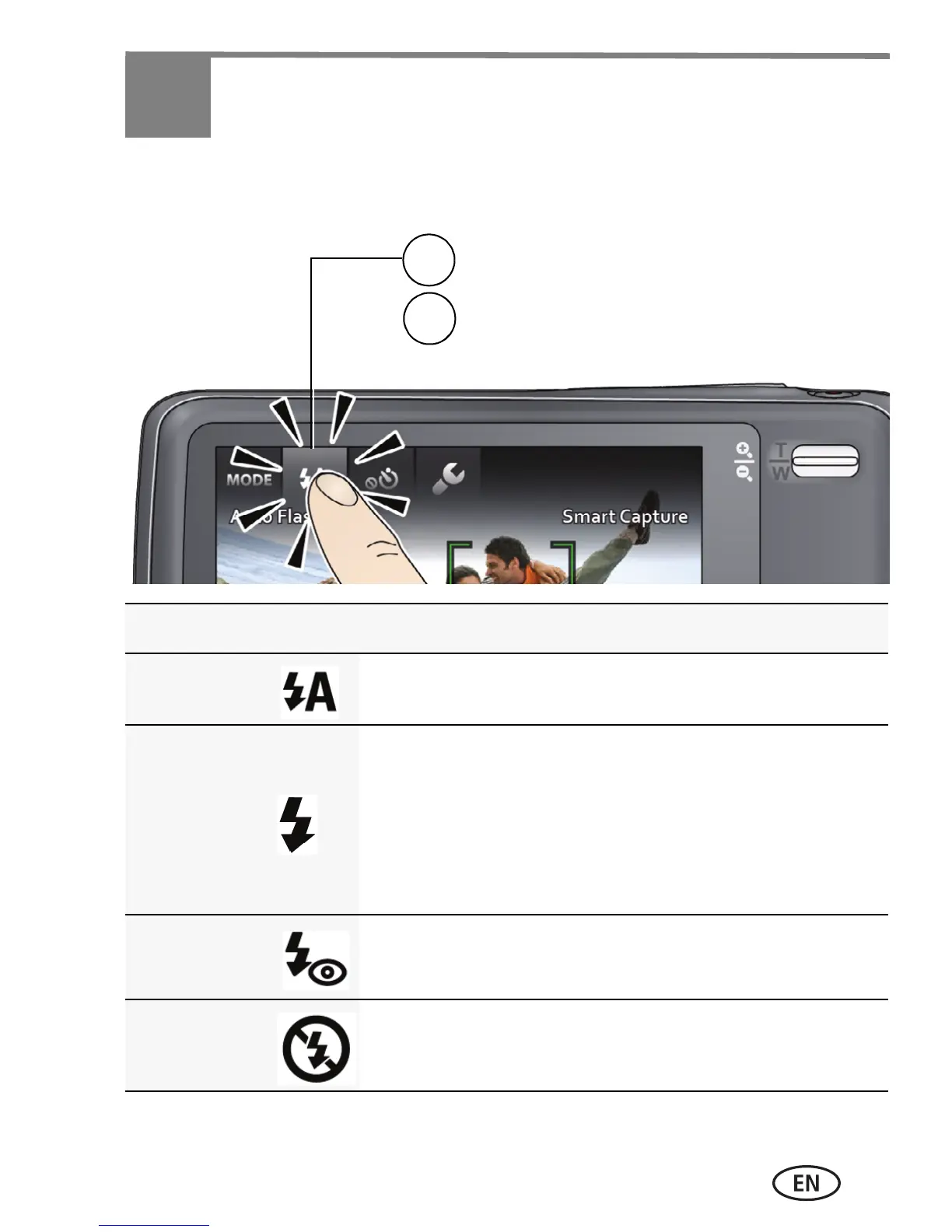
Flash modes The flash fires
Auto When the lighting conditions require it.
Fill Every time you take a picture, regardless of the
lighting conditions. Use when the subject is in
shadow or is “backlit” (when the light is behind
the subject). In low light, hold the camera
steady or use a tripod.
Red-eye
Reduction
A preflash fires, shrinking the eye pupil, before
the picture is taken.
Off Never.
Tap Flash to view flash modes.
1
Tap the desired Flash mode.
2
urg_01219.book Page 19 Wednesday, March 9, 2011 11:52 AM












 To Next Page