6 www.kodak.com/go/support
ENGLISH
Charging the battery
See the Extended user guide www.kodak.com/go/m577manuals
Watch the battery level See page 12
Purchase extra batteries www.kodak.com/go/accessories
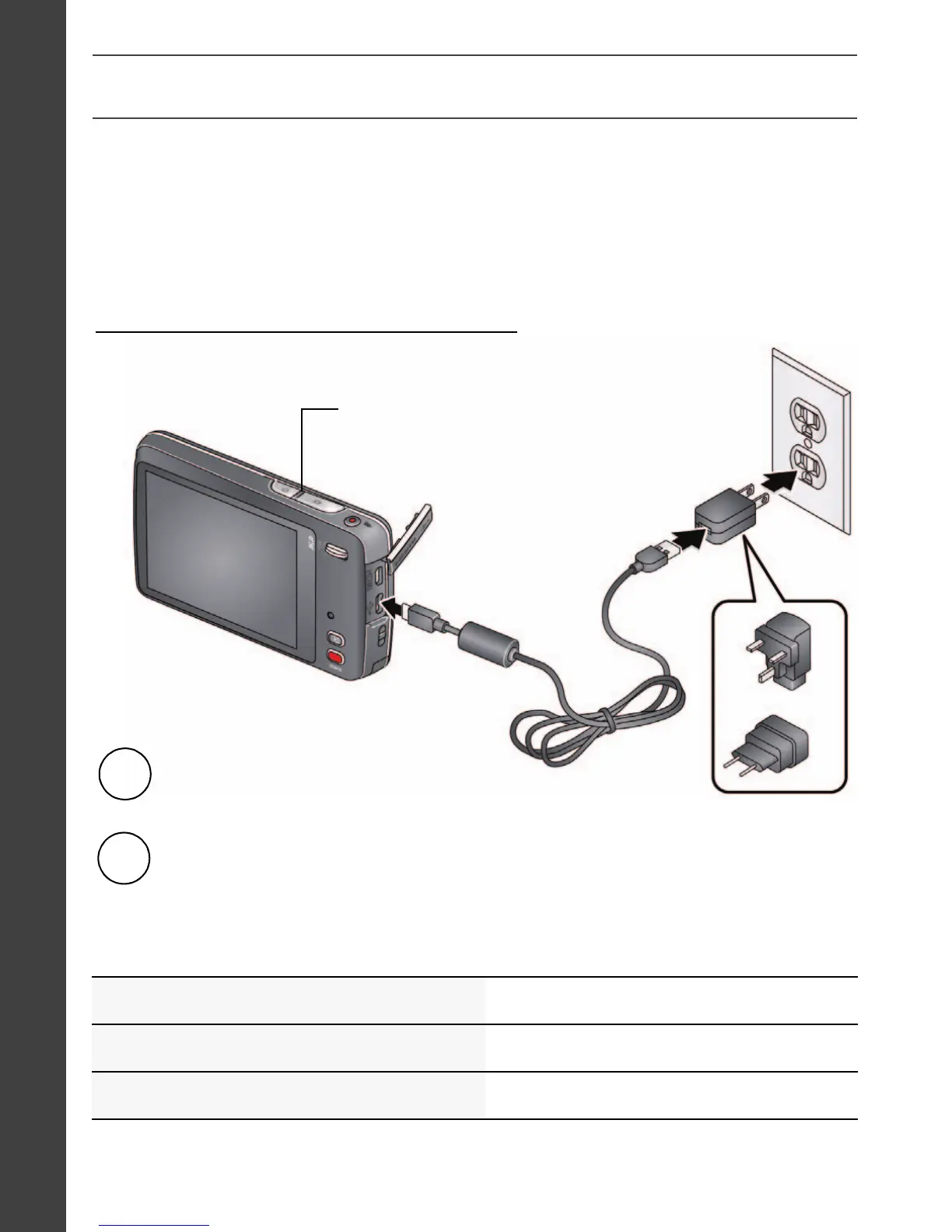
Battery Charging light:
• Blinking: charging
• Steady On: finished charging
Turn off the camera.
1
Connect a KODAK Camera USB Cable,
Micro B / 5-Pin and charger.
2
Maximize the number of pictures you can take. Fully charge the
battery before using. All rechargeable batteries lose power over
time, even if they’re not being used.
If your package includes this charger:
urg_01219.book Page 6 Wednesday, March 9, 2011 11:52 AM












 To Next Page