Do more with your camera
20 www.kodak.com/go/support
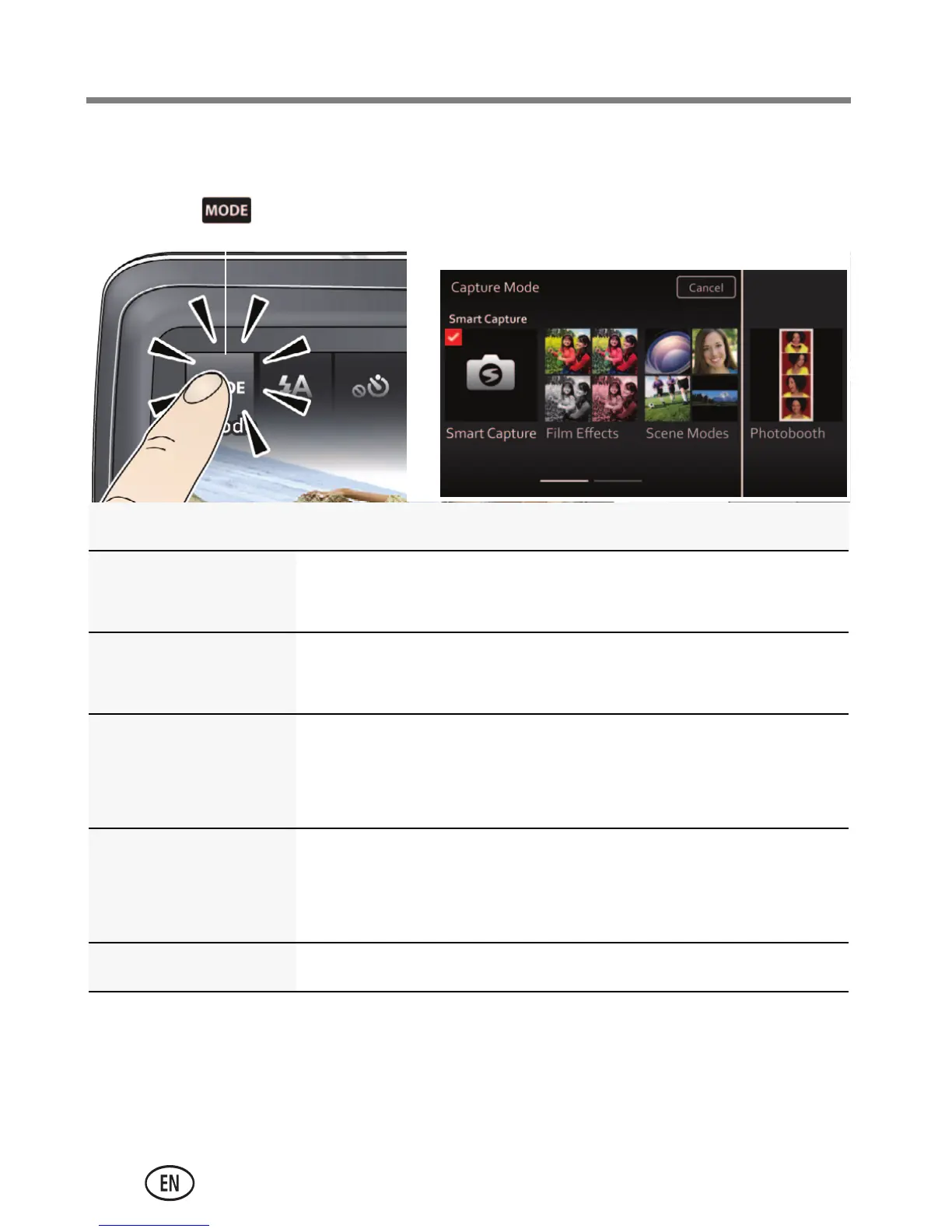
Using different modes
Capture mode For
Smart Capture General picture taking—it offers excellent image
quality and ease of use.
Film Effects Film-like effects that make your pictures/videos
more interesting (see page 21).
Scene Modes Point-and-shoot simplicity when taking pictures
under special conditions (see page 21)—including
Program mode (see page 23).
Photo Booth Taking 4 pictures and combining them into single
strip, like a vintage photo booth. For best results,
place the camera on a tripod or steady surface.
Video Video with sound.
Tap
Then tap the mode that suits
your subject.
urg_01219.book Page 20 Wednesday, March 9, 2011 11:52 AM












 To Next Page