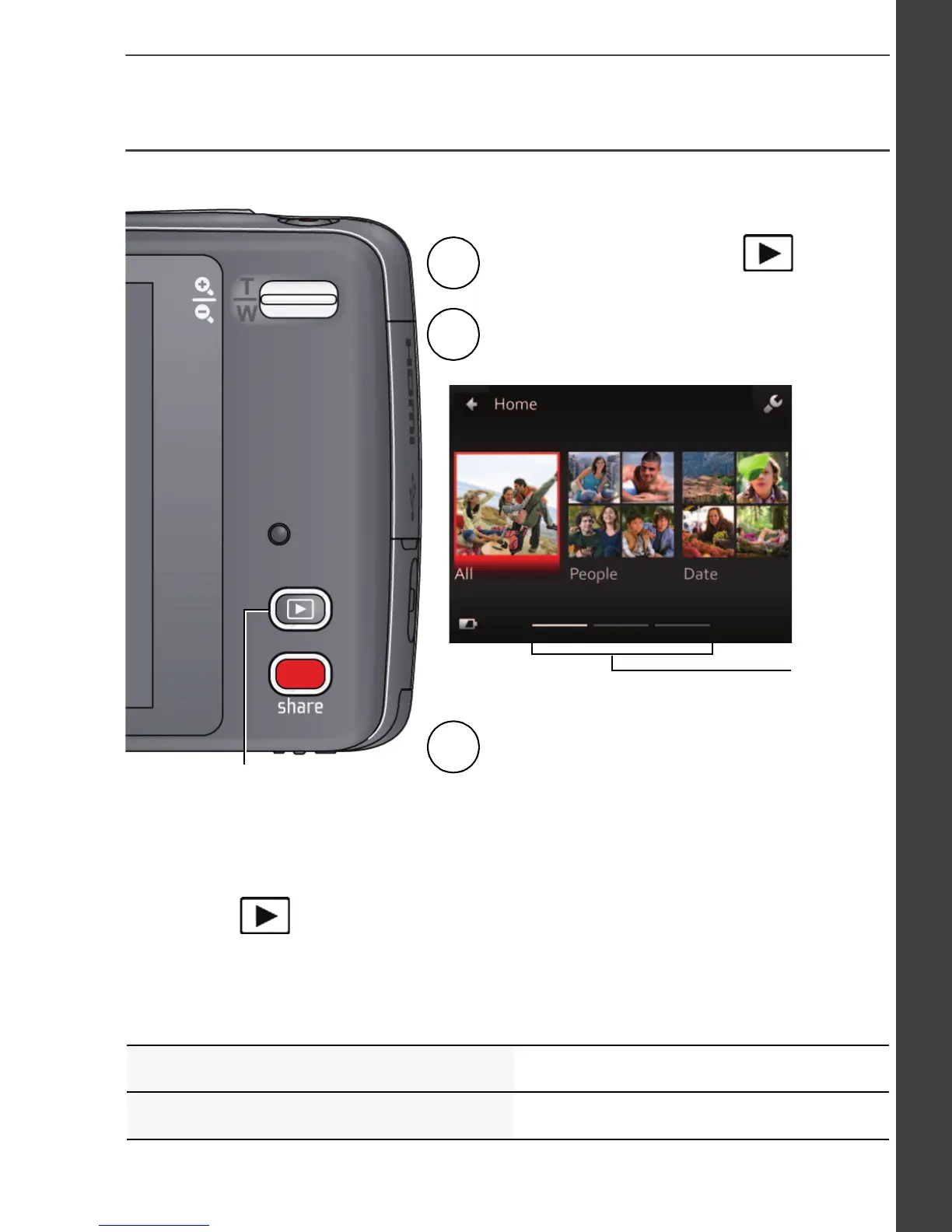
You can review the most recent picture/video by:
• Tapping the thumbnail (bottom left of LCD) in Liveview, or
•
during Quickview, while reviewing a new picture/video
Review
Pressing
Press the Review button
to enter Review.
1
2
Tap All, People, Date, Keywords,
or Videos.
If you chose People, Date, or Keywords,
tap a name, date, or keyword.
3
Swipe to
access
Keywords
and
Videos or
tap the
paging
bar.












 To Next Page