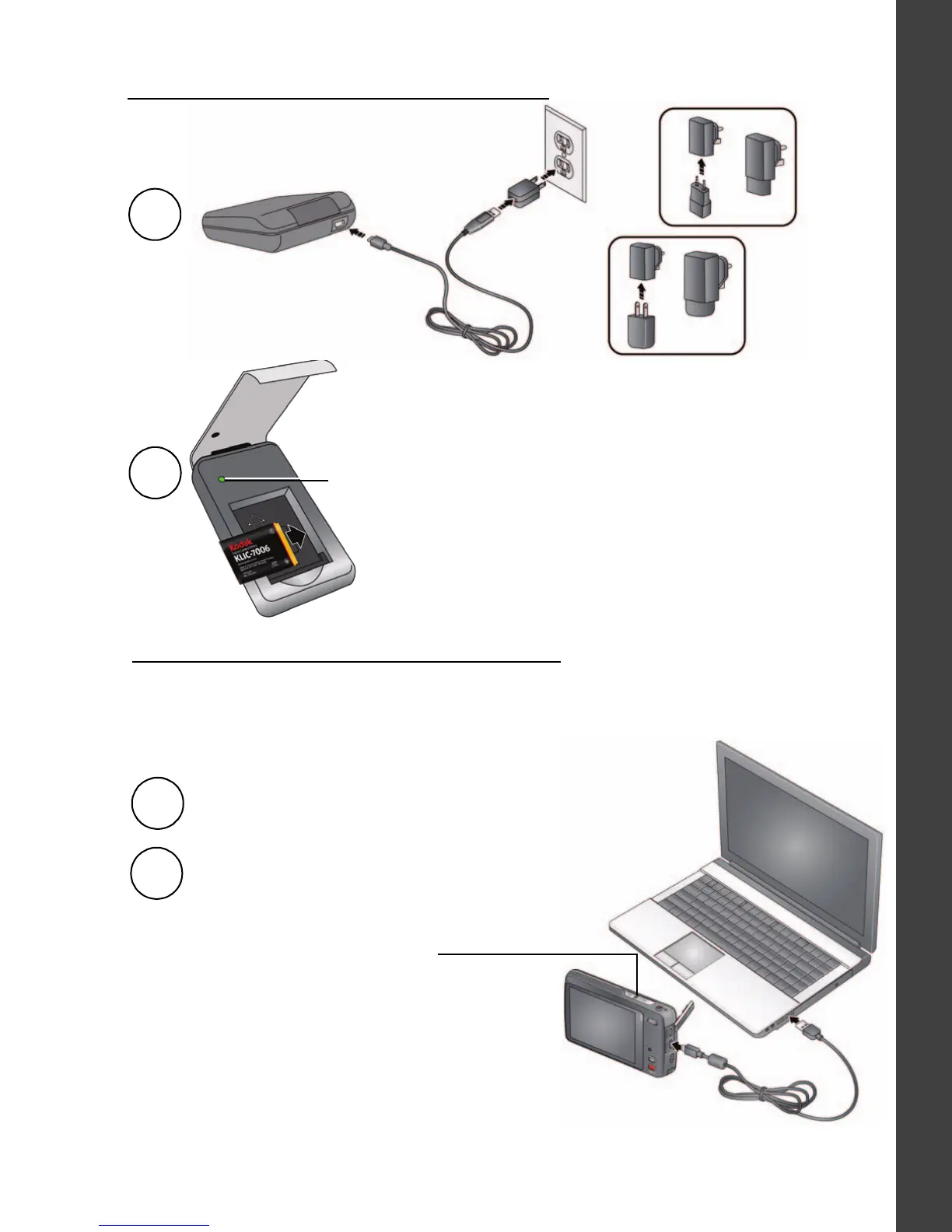
1
Battery Charging light:
• Flashing green: charging
• Steady On green: finished charging
2
Charge via your computer’s USB port:
1
2
Battery Charging light:
• Blinking: charging
• Steady On: finished charging
Turn off the camera.
Connect a KODAK Camera USB
Cable, Micro B / 5-Pin.
The camera charges when the computer is on and awake. Turn off the
computer’s hibernation, sleep, and standby modes.
If your package includes this charger:












 To Next Page