4 www.kodak.com/go/support
Setting up your camera
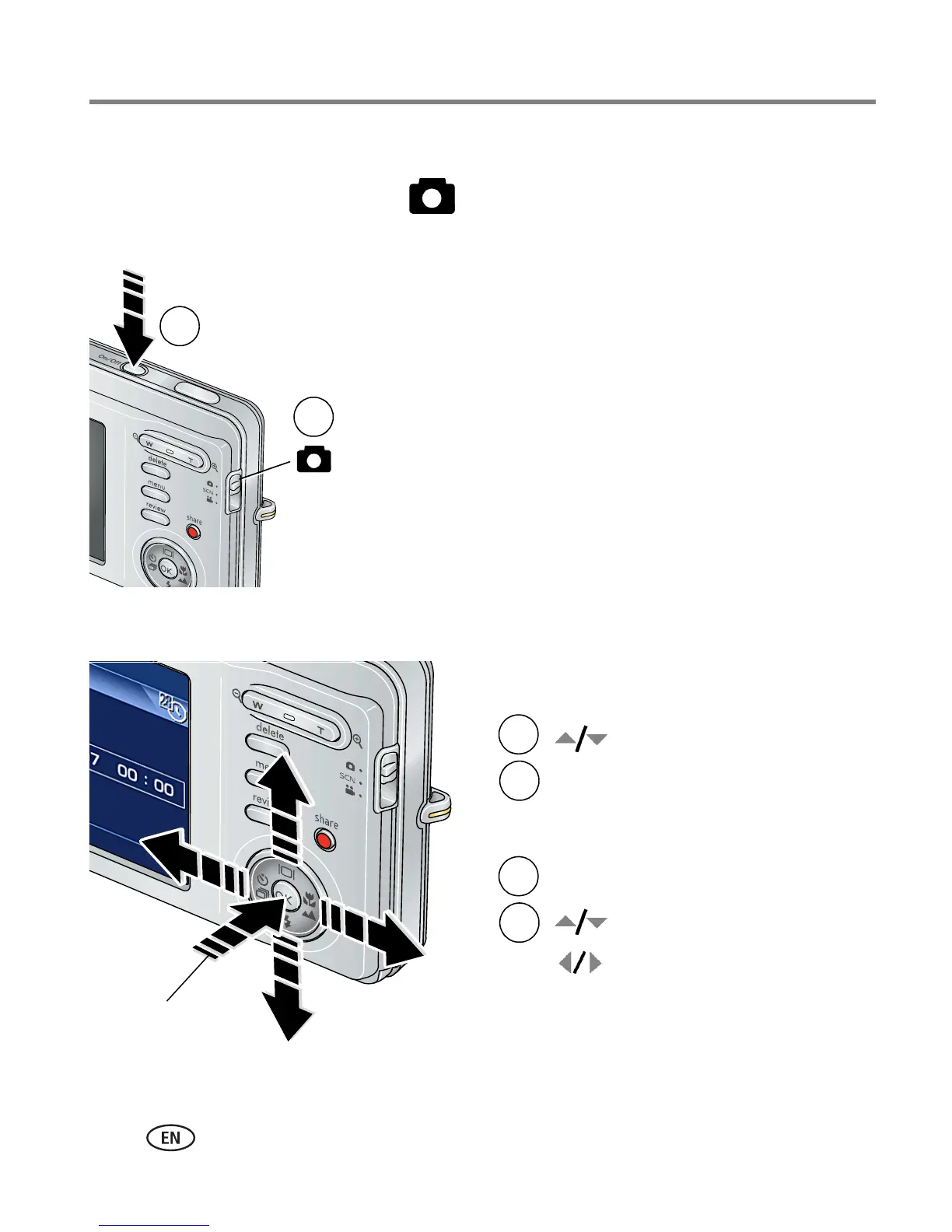
Turning on the camera
1 Slide the Mode switch to Auto .
2 Press the On/Off button.
Setting the language and date/time
NOTE: To change language in the future, see page 33. To change date & time, see page 32.
2
1
2
1
to change.
for previous/next field.
OK
to accept.
At the prompt, press OK.
2
1
to change.
OK
to accept.
Language:
Date/Time:
OK













 To Next Page