6 www.kodak.com/go/support
2 Taking pictures/videos
Taking a picture
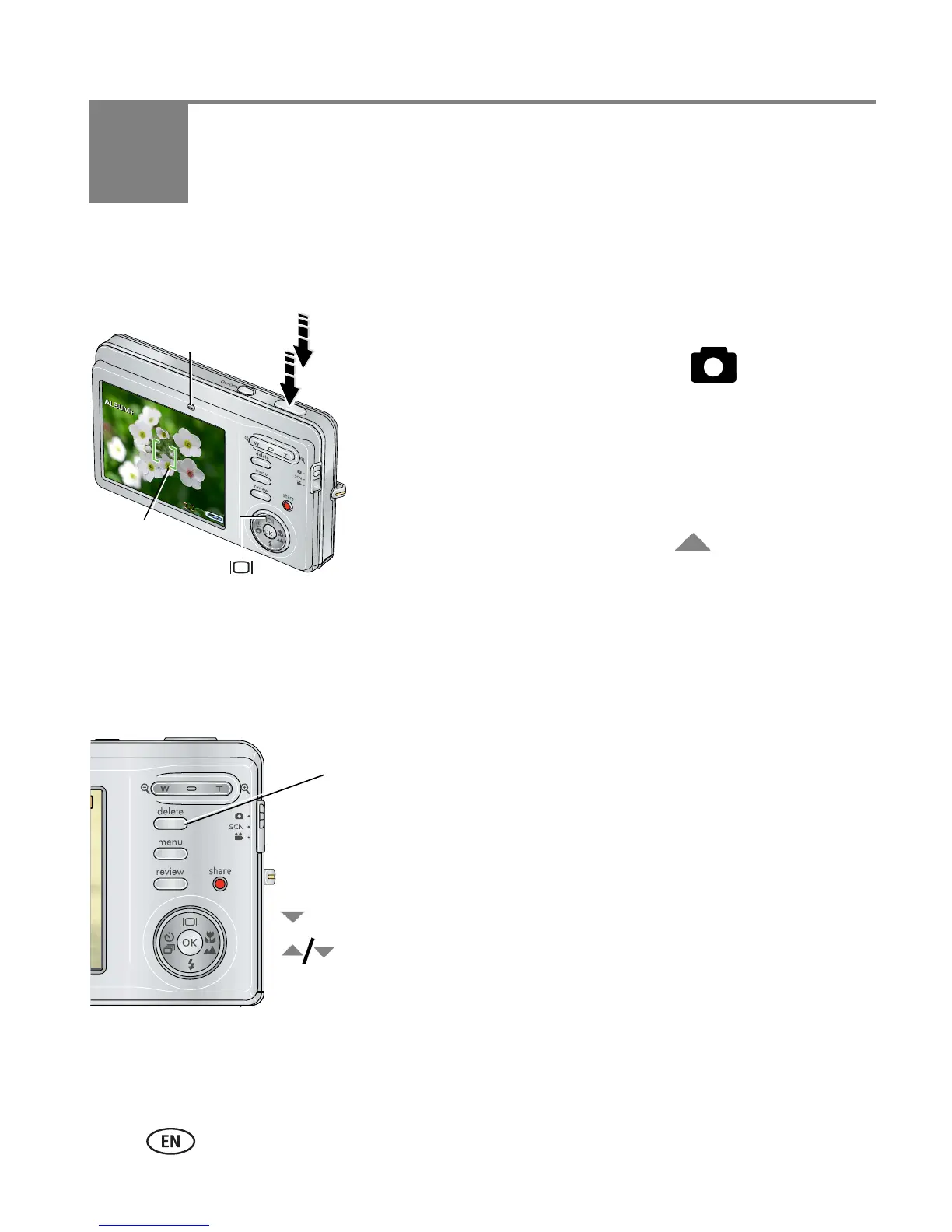
1 Press the On/Off button to turn on the camera.
2 Slide the Mode switch to Auto .
3 Compose the picture. Press the Shutter button
halfway to focus and set exposure. When the
Ready light or framing marks turn green, press the
Shutter button completely down.
NOTE: You can repeatedly press Display to turn on/off status
icons, histogram, and framing grid.
Reviewing the picture just taken
After you take a picture/video, the LCD displays a quickview for approximately 5
seconds. (To exit the quickview sooner, press the Shutter button halfway.)
To review pictures/videos anytime, see page 13.
Ready light
Framing
marks
Delete
Play/pause a video
Adjust volume













 To Next Page