34 www.kodak.com/go/support
Doing more with your camera
Using the self-timer
Use the self-timer when you want to be included in a picture, or to ensure a steady
Shutter button press. Place the camera on a steady surface or tripod.
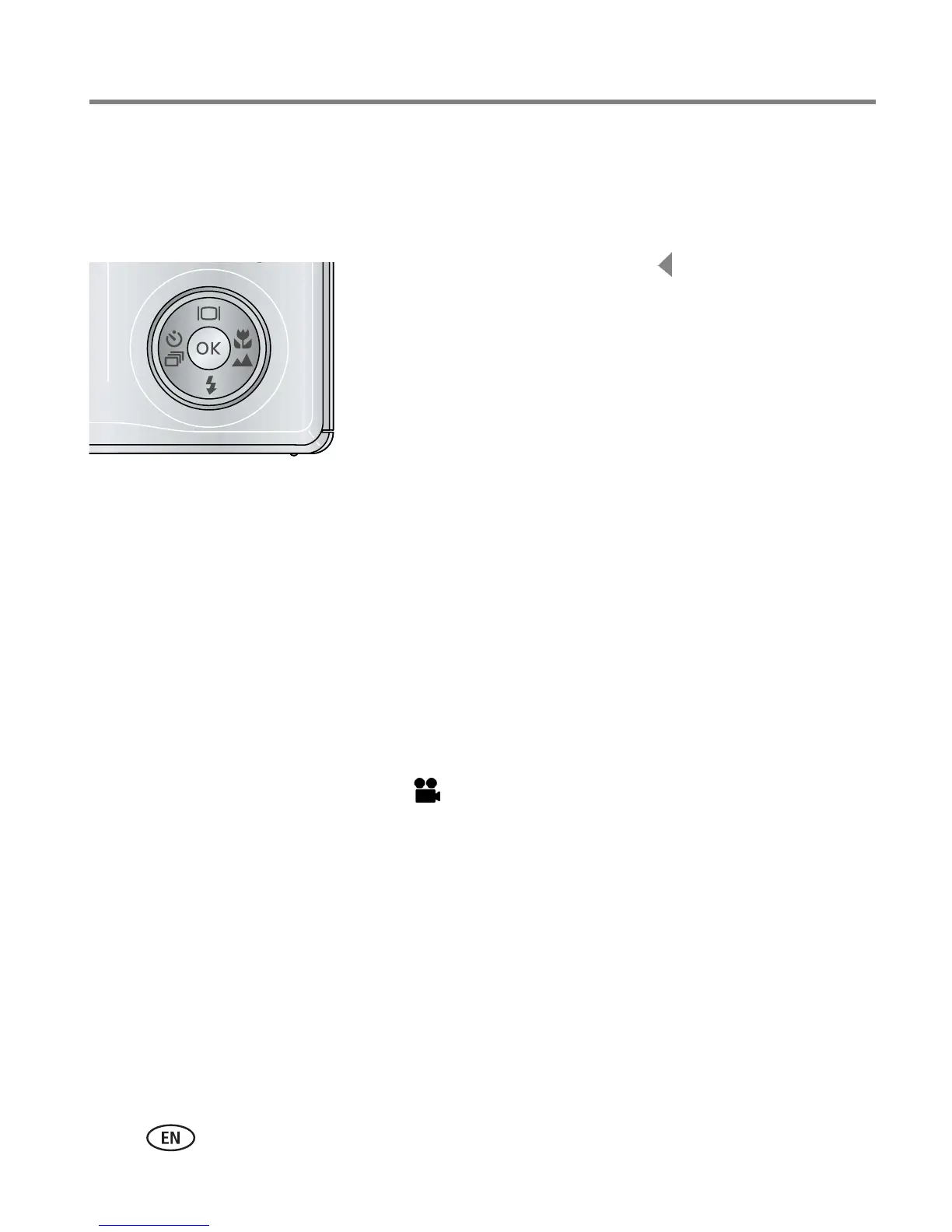
1 In any Still mode, press the button repeatedly to
choose:
10 seconds—A picture is taken after a 10-second
delay (so you have time to get into the scene).
2 seconds—A picture is taken after a 2-second
delay (for a steady, auto-shutter release on a
tripod).
2 shot—The first picture is taken after a 10-second
delay. A second picture is taken 8 seconds later.
2 Press OK, then the Menu button.
3 Compose the scene.
4 Press the Shutter button halfway, then
completely down.
The camera takes the picture/pictures after the delay.
NOTE: In Panoramic modes (page 36), only the 2- and 10-second self-timer settings are available.
Use the same procedure to take a video, but:
■ Slide the Mode switch to Video .
■ Press the Shutter button completely down.
NOTE: The video stops when no storage space remains. Only the 2- and 10-second options are available in
video mode.













 To Next Page