36 www.kodak.com/go/support
Doing more with your camera
Taking panoramic pictures
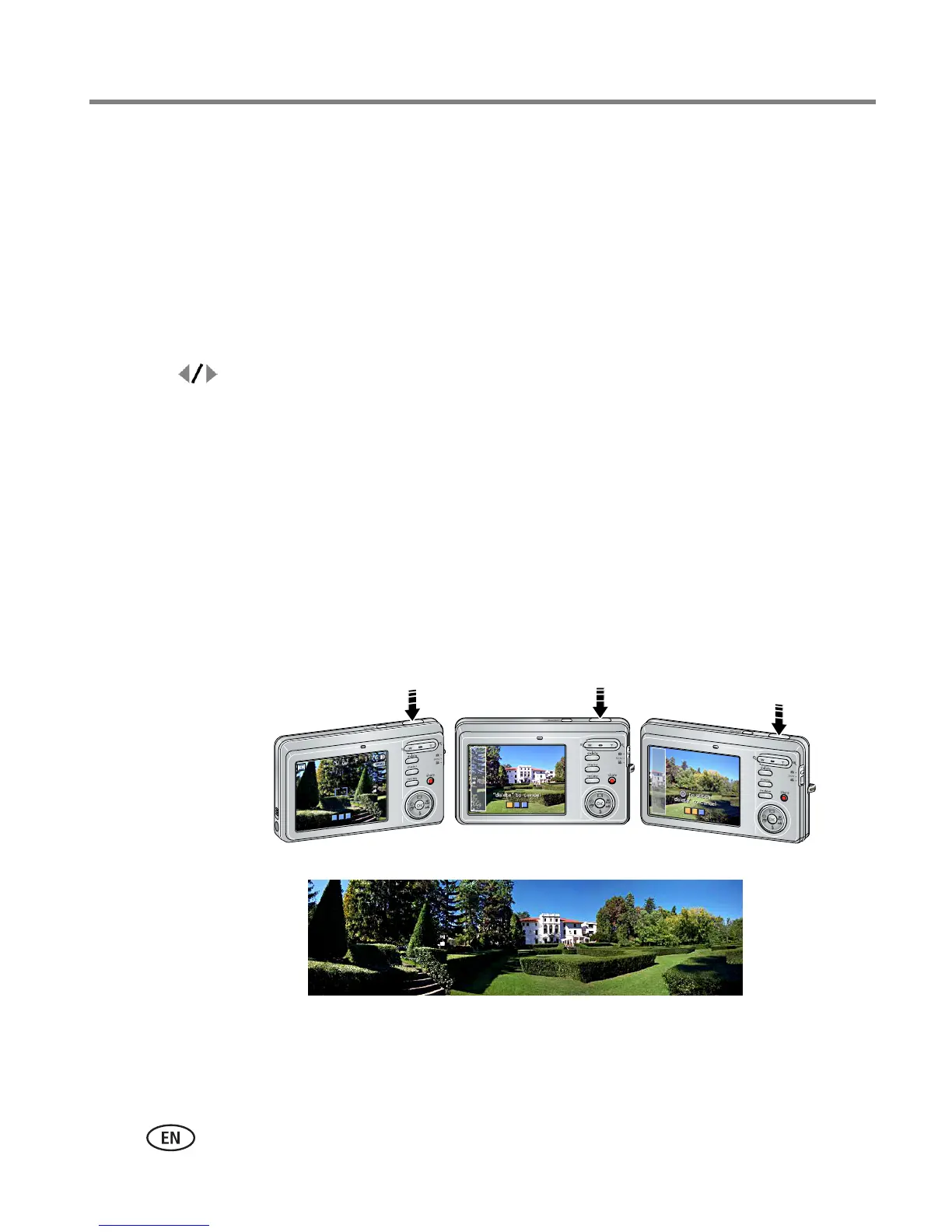
Use panorama to “stitch” up to 3 pictures into a panoramic scene.
NOTE: For best results, use a tripod. Only the panoramic picture is saved; individual pictures are not.
(Picture size is set to 5.0 MP. Exposure and white balance are set with the first picture. The flash is
set to Off.)
1 Slide the Mode switch to SCN.
2 Press to highlight Panorama Left-Right or Panorama Right-Left (depending
on the direction you want to pan), then press the OK button.
3 Take the first picture.
After a quickview, the LCD displays the liveview and an “overlay” from the first picture.
4 Compose the second picture. Make the overlay from the first picture cover the
same portion in the new picture. (You can press the Delete button to re-take a
picture.)
5 If you are taking only 2 pictures, press the OK button to stitch them together.
After you take 3 pictures, the pictures are automatically stitched together.
NOTE: To use the self-timer 10-second or 2-second setting, see page 34.
Take 2 or 3
pictures.
Get 1
panoramic picture.
1
2
3













 To Next Page