www.kodak.com/go/digitalframesupport 11
2 Doing more with your frame
Accessing your pictures
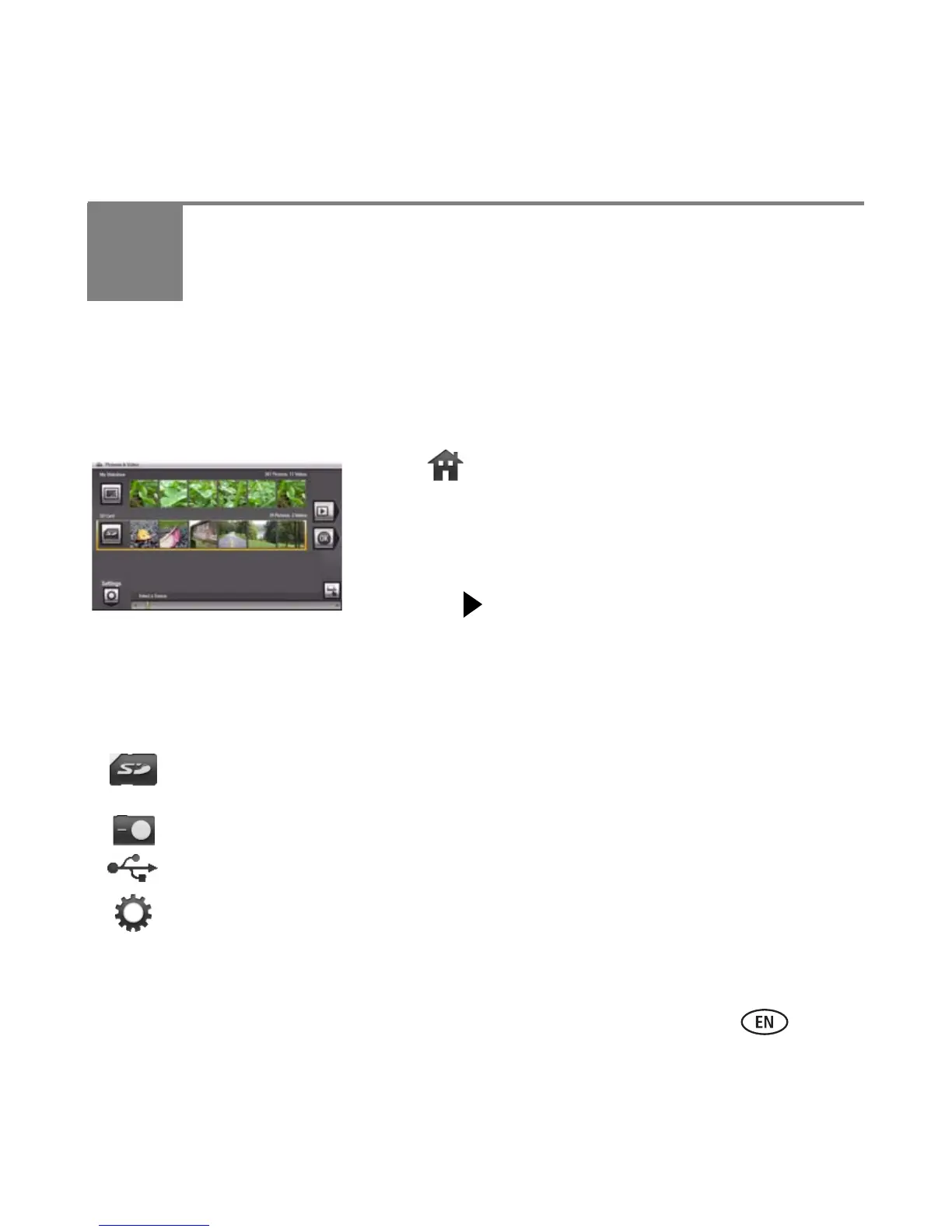
Tap Home to access pictures from your memory card and all connected devices (see
page 8). Use the Quick Touch Borders to make your selections
(
see
page 5
)
.
1 Tap (Home).
All connected sources and the Settings icon are
displayed.
2 Slide to highlight a picture source, then:
■ Tap (Play Slide show) to start a slide show.
OR
■ Tap OK to view thumbnails.
Picture source icons:
Memory card—appears when you insert a card (page 7). The label and icon indicate
the type of card.
Camera—appears when you connect a digital camera via USB cable (page 8).
USB drive—appears when you insert a USB card reader or flash drive (page 8).
Settings—customize your frame settings. For example: set slide show options like
durations and transitions; set screen brightness, clock, and timer. See the extended
user guide at
www.kodak.com/go/digitalframesupport.














 To Next Page