Getting started
www.kodak.com/go/digitalframesupport 7
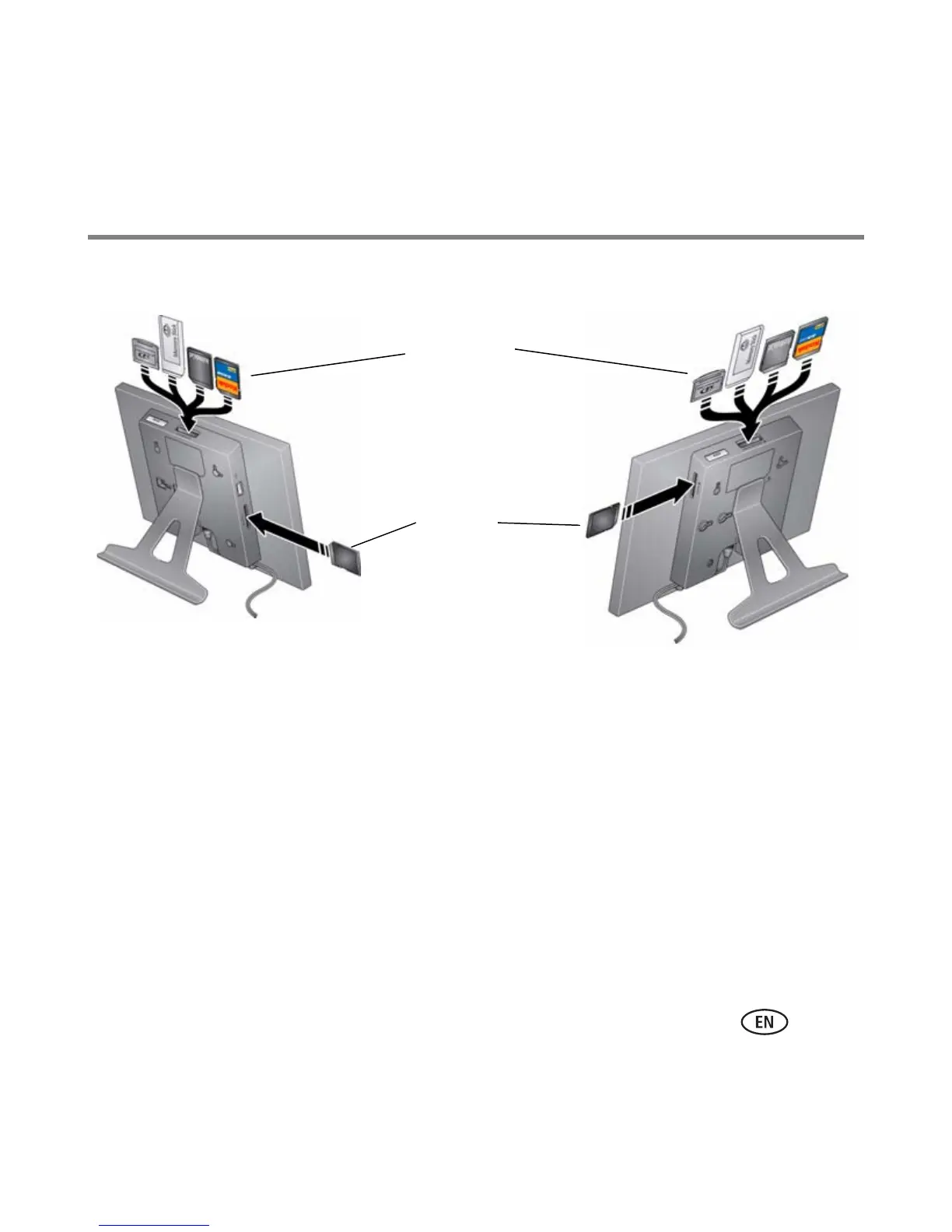
Inserting a memory card
■ To insert a card, push the card firmly into the slot until it stops.
■ To remove a card from:
– top card slot, push in the card to release it.
– side card slot, pull out the card.
IMPORTANT:
Do not insert a micro or mini memory card without an adapter.
MultiMedia Card
SD/SDHC
Memory Stick
xD
SD/SDHC
P520/P720/P725 digital frame P820 digital frame













 To Next Page