Getting started
4 www.kodak.com/go/easysharecenter
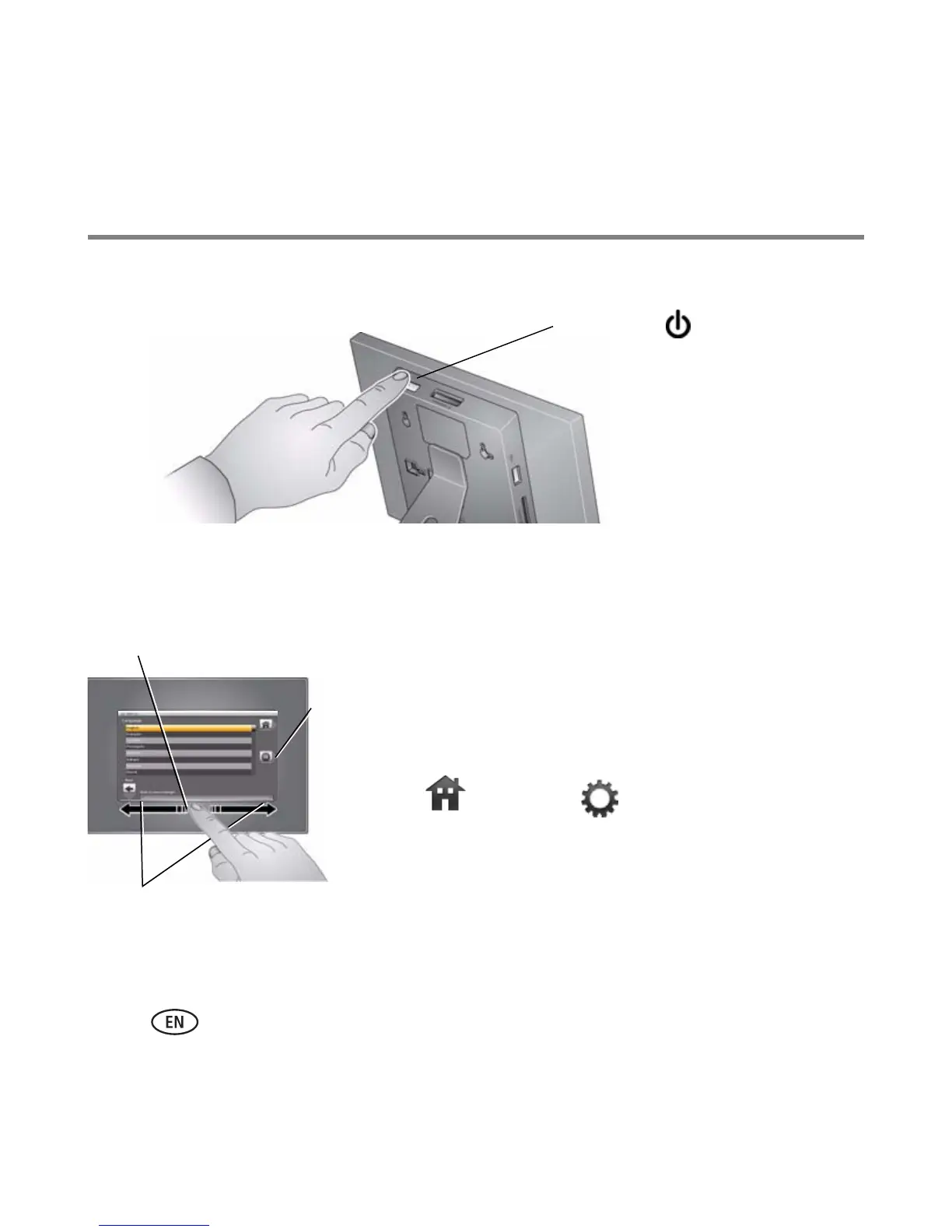
Turning on your frame
Setting your language
The language screen appears the first time you turn on your frame.
■ Slide, or tap below small arrows, to highlight your
language, then tap Save.
To change the language at a later time:
■ Tap (Home) → (Settings), then highlight
Language.
The language screen appears.
Highlight your language, then tap Save.
To use the Quick Touch Borders, see page 5.
Power button
Save
Slide
Tap below small arrows














 To Next Page