Doing more with your frame
20 www.kodak.com/go/easysharecenter
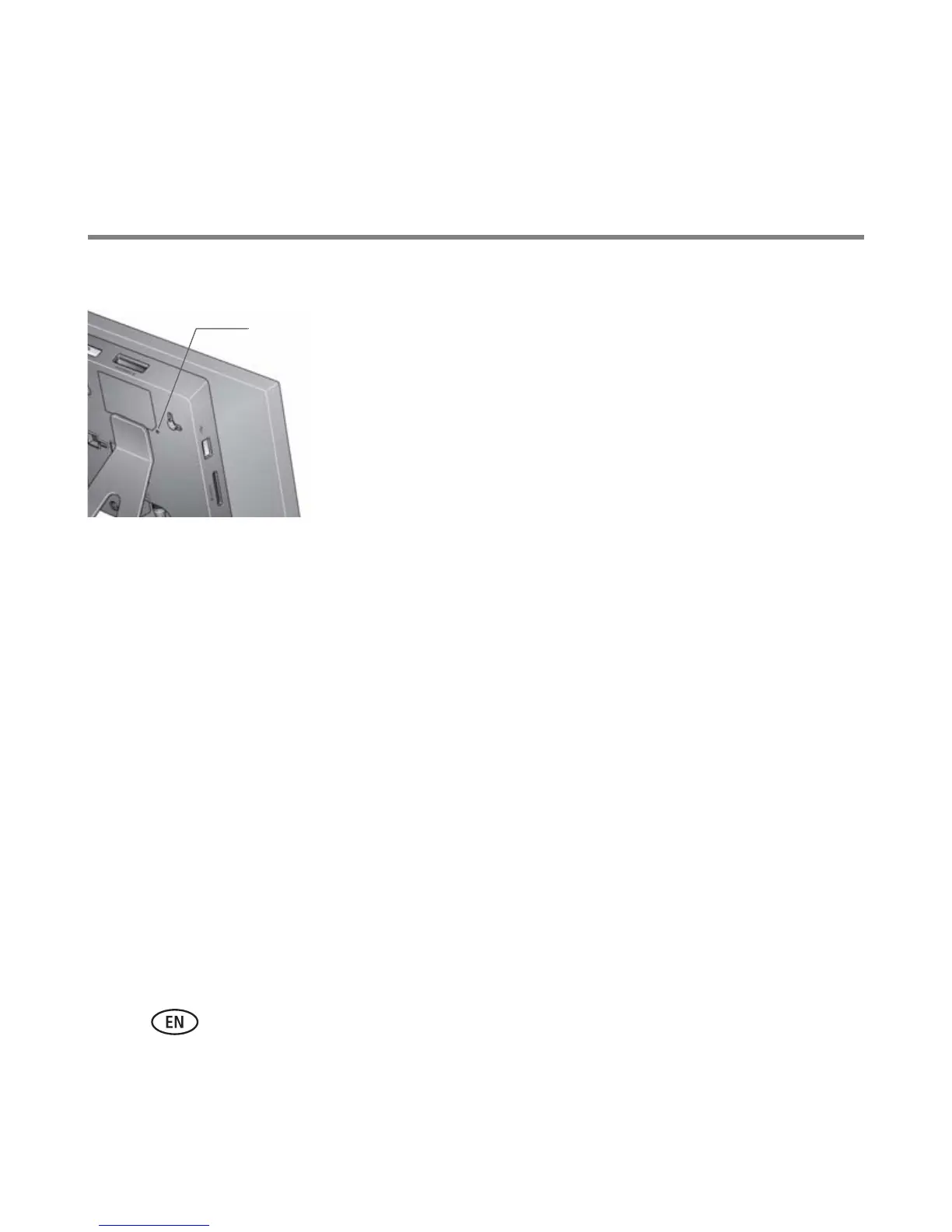
Resetting factory defaults
1 Make sure the power cable is connected and the
frame is turned on.
2 Insert a small sharp object into the reset button slot
and press the recessed reset button.
When the reset is successful, the set language screen
appears.
All settings return to the original factory defaults.
3 Reset your language. See page 4.
Learning more about your frame
Reset button
slot
www.kodak.com/go/digitalframes Frame accessories, including decorative faceplates
and custom mattes
www.kodak.com/go/digitalframesupport Extended user guide
Interactive troubleshooting and repairs
Interactive tutorials
FAQs
Downloads
Product registration














 To Next Page