Getting started
www.kodak.com/go/digitalframesupport 9
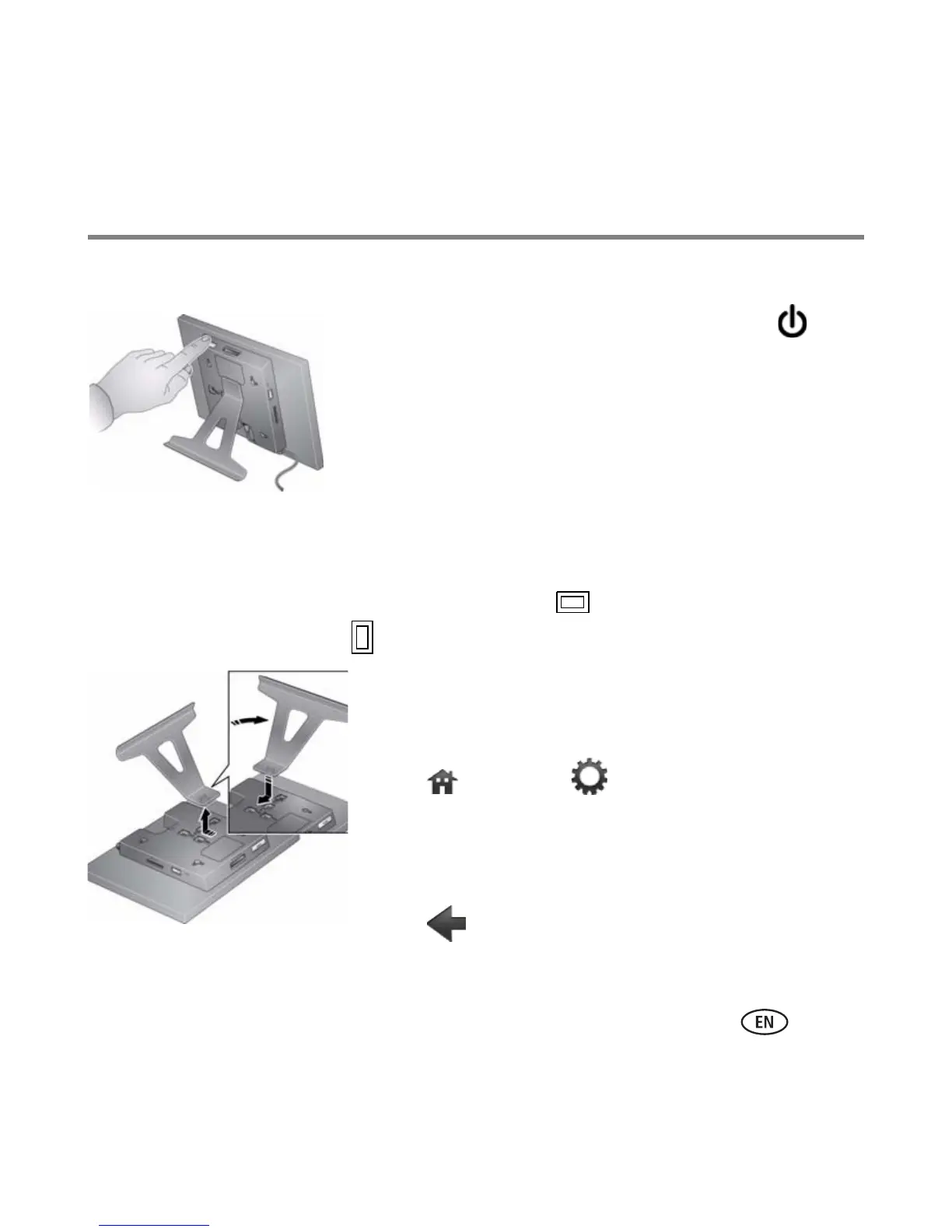
Turning off your frame
■ Standby mode—Press the power button .
■ Power off—Unplug the power cable.
Changing your frame orientation
Your frame is set up to display pictures in landscape orientation. You can turn the
stand to change it to portrait but you must also change the setting.
Change the stand position: Remove the stand, turn
it 90
°, and replace as shown.
Change the setting:
1 Tap (Home)
→ (Settings).
2 Slide to highlight Set viewing options, then tap OK.
Slide to highlight Frame orientation, then tap OK.
Slide to highlight Portrait, then tap OK.
3 Tap (Back) to exit.














 To Next Page