www.kodak.com/go/digitalframesupport 3
1 Getting started
Setting up your picture frame
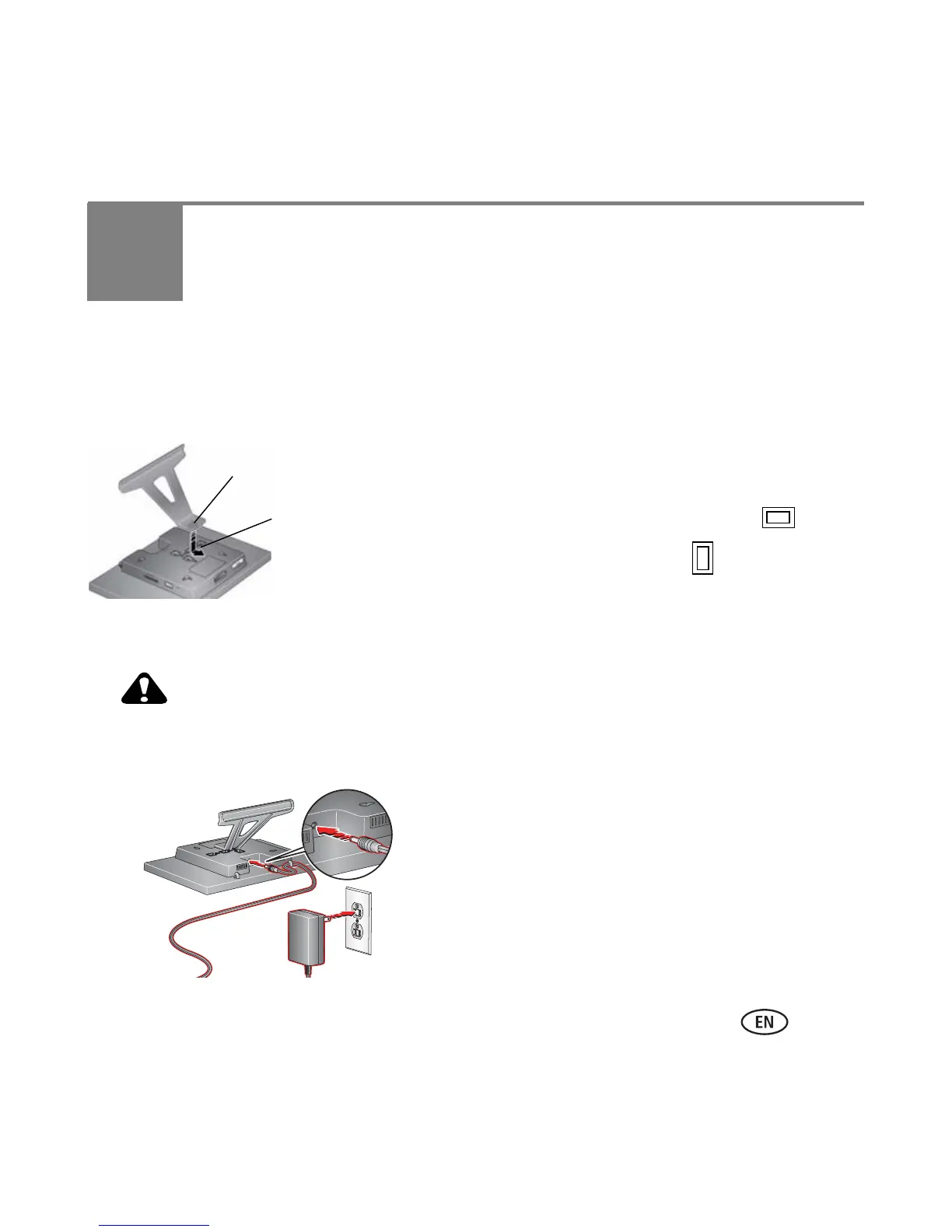
Attaching the frame stand
■ Make sure the tab on the stand is secure in the slot
on the back of the frame.
■ Your frame displays pictures in landscape
orientation. To change to portrait , see page 9.
Attaching the power cable
CAUTION:
Do not use this power cable with other devices, including digital
cameras.
Tab
Slot
Your power cable may look different from
the one pictured. Use the plug that
accommodates your type of power outlet.














 To Next Page