Doing more with your frame
www.kodak.com/go/digitalframesupport 19
Customizing your frame
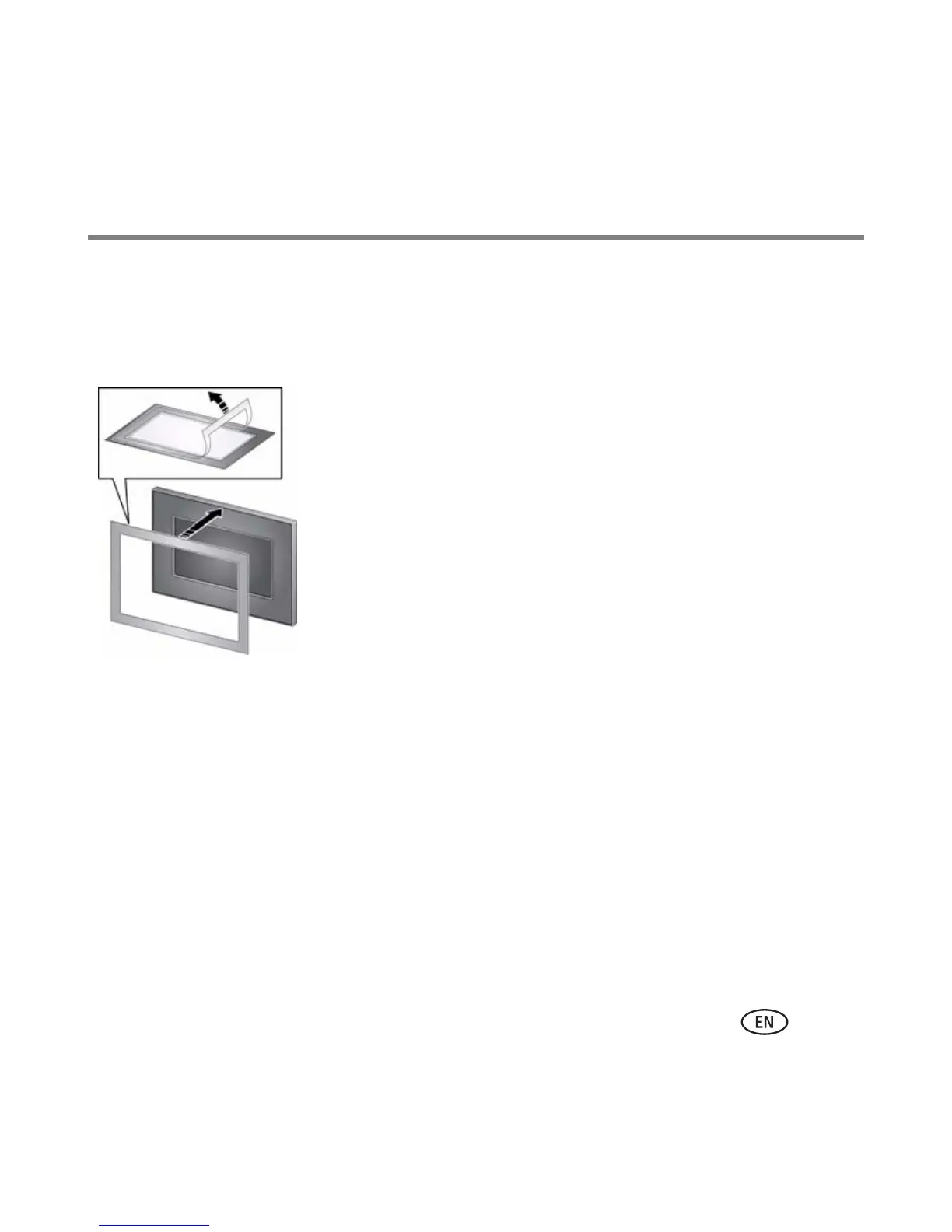
For a custom look, remove the adhesive matte (included) from its liner, align it carefully,
then attach it to your frame.
Maintaining your frame and mattes
IMPORTANT:
Always disconnect the power before cleaning. Do not use water, cleaning
solutions, or other adhesives on the frame or any of its parts.
Gently wipe the frame, LCD, or matte with a clean, dry cloth (included). For
fingerprints on the frame, apply light pressure.
You can reapply the matte to your frame several times.
When you are not using the matte, reapply it to the liner and
store in a plastic bag to keep the adhesive backing clean.














 To Next Page