Chapter 2 Function and control names MDC-2200/2500 Series
0093125002-02 2-4
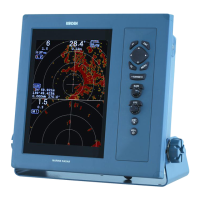
11 [MENU] key
Menu is turned on or off by pressing this key.
12 [ACQ] key Note: This function is not available for MDC-2200.
This key is used for target acquisition of ATA or EPA.
Acquired target is deleted when [OFF] and [ACQ] keys are pressed simultaneously.
13 [ENT] key
This key is used to determine designated value for menu operation. Designated value is not
altered if menu is closed without pressing [ENT] key. This key is also used to select target of
ATA, EPA or AIS and to select mark during mark display.
14 [POWER ON/OFF] key
This key is used to turn power on or off.
15 [STBY/TX] key
This key is used to switch on TX or standby.
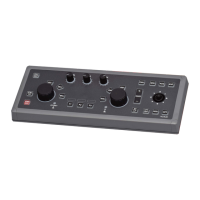
16 [EBL] knob Note: [EBL]/ [VRM] knobs are common for MDC-2200.
This knob is used to operate EBL or to adjust screen brilliance.
Offset function is activated when this knob is pressed.
17 [OFFSET] lamp Note: This function is not available for MDC-2200.
This lamp is on when offset function is active.
18 [BRILL] key
This key is used to change screen brilliance.
19 [F1] function key
This key is used for function key. Function assignment is selected in startup menu.
20 [F2] function key
This key is used for function key. Function assignment is selected in startup menu.






 To Next Page