TP-6376 3/08 41Section 4 Prestart and Operation
4.4.1 KPC 1000 Controller
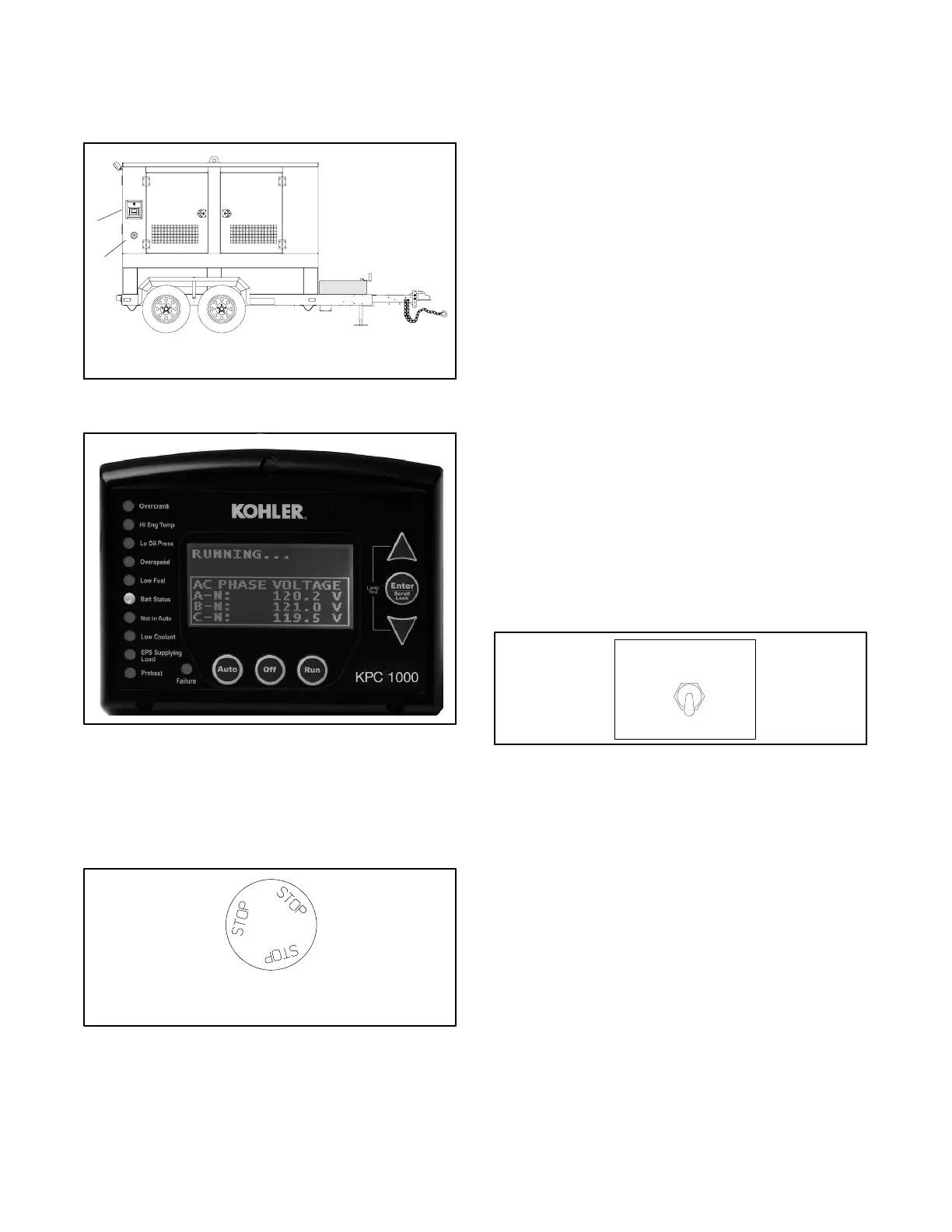
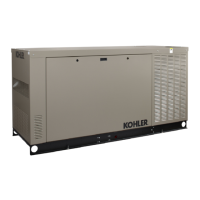
The controller is externally accessible on the trailer
enclosure. See Figure 4-1 and Figure 4-2.
1
1. KPC 1000 controller and engine idle switch
2. Emergency stop (E-stop) switch
2
60TP
Figure 4-1 KPC 1000 Controller
Figure 4-2 KPC 1000 Controller
4.4.2 Emergency Stop (E-Stop) Switch
The E-stop switch is externally accessible on the trailer
enclosure. See Figure 4-1 and Figure 4-3.
TP5750-2
EMERGENCY
STOP
Figure 4-3 Emergency Stop (E-Stop) Switch
Use the emergency stop switch for emergency
shutdowns only. Use the generator set master switch for
normal shutdowns.
The unit shuts down and the controller fault lamp lights if
an operator activates the emergency stop switch. Reset
the generator set emergency stop switch using the
following procedure.
1. Investigate the cause of the emergency stop and
correct the circuit or wiring problem(s).
2. Reset the emergency stop switch by pulling the
knob slightly outward.
3. Press the generator set controller OFF (RESET)
switch. The unit is now ready for starting.
4.4.3 Battery Power Disconnect Switch
Stop the generator set using the stopping procedure in
the generator set operation manual before using the
battery power disconnect switch. The battery power
disconnect switch mounts on the back of the junction
box. See Figure 4-4. The battery power disconnect
switch limits generator set starting battery drain when
the unit is not operating. Move the battery power
disconnect switch to the OFF position to power down the
controller and disconnect power to the engine ECM
preventing battery drain when no battery charging is
available.
ON
TP-5872-1
BATTERY POWER
OFF
Figure 4-4 Battery Power Disconnect Switch



 To Next Page