EasyManua.ls Logo

Kolver EDU 2AE/TOP - User Manual

Kolver EDU 2AE/TOP
27 pages
Print Icon
To Next Page IconTo Next Page
Loading...
MANUAL
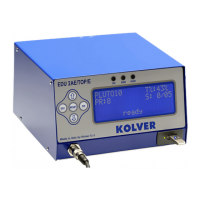
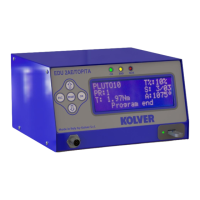
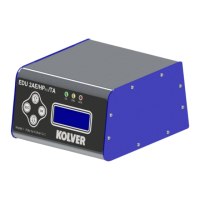
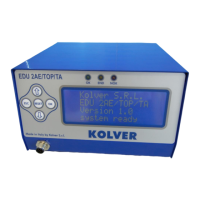
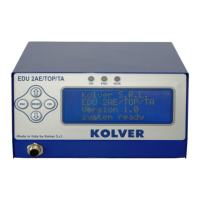
EDU 2AE/TOP e EDU 2AE/TOP/TA
Torque range: 0.2-50 Nm
UIDENTIFICATION DATA OF THE MANUFACTURER
KOLVER S.r.l.
VIA M. CORNER, 19/21
36016 THIENE (VI) ITALIA
UIDENTIFICATION DATA OF THE PRODUCT
CONTROL UNIT MODEL: EDU 2AE TOP - EDU 2AE TOP/TA
CODE: 031000/TOP - 031000/TOP/TA
TECHNICAL DATA OF THE PRODUCT
TRANSFORMER: 230V or 110VAC 50 Hz 40 V DC 200 VA FUSE: 3,15 A
DIMENSIONS: 190 x 205 x h120 mm WEIGHT: 4 Kg
DECLARATION OF CONFORMITY
KOLVER S.r.l. declares that the new tool here described: control unit model EDU 2AE is in conformity with
the following standards and other normative documents: 2006/42/CE, 2006/95/CE, 2004/108/CE, EN 60745-1,
EN 60204-1, EN 61000-6-1, EN 61000-6-3.
It is also in conformity with the RoHS II normative.
Name: Giovanni Colasante
Position: General Manager
Person authorized to compile the technical file in Kolver
Thiene, Oct. 25, 2013
Giovanni Colasante

Questions and Answers

  • S
    Sarah ChapmanAug 21, 2025
    Why does my Kolver EDU 2AE/TOP display “Protection 15A”?
    • D
      Dr. Timothy WilsonAug 22, 2025
      The “Protection 15A” message on your Kolver Control Unit indicates that the current on the mosfets of bridge H is greater than 15 A for at least 500 ms. To resolve this, try the following: * Reduce the cycle rate. * Check the settings. * Avoid motor stalling. * Avoid unscrewing too heavy.
  • M
    Maria HoodSep 4, 2025
    How to fix Kolver EDU 2AE/TOP Control Unit when “waiting connection” doesn’t turn into “system ready”?
    • E
      Ebony DavidsonSep 4, 2025
      If your Kolver Control Unit displays “waiting connection” and does not switch to “system ready” after being turned on, check the flat connector inside the unit.
  • K
    Keith CaldwellSep 2, 2025
    What to do if Kolver EDU 2AE/TOP Control Unit displays “tightened screw”?
    • O
      Olivia GallowaySep 2, 2025
      If your Kolver Control Unit displays “tightened screw” on the status bar, and the torque signal is displayed during the motor startup process (which lasts 0.3 seconds), you should check the parameters again.
  • J
    jamesnielsenSep 1, 2025
    What to do if Kolver Control Unit displays “Error missing piece”?
    • C
      Cassandra AlexanderSep 1, 2025
      If your Kolver Control Unit displays “Error missing piece”, it indicates that the “missing piece” contact is enabled. To address this, check contact 2 on the CN2 connector.
  • A
    April LongAug 31, 2025
    What to do if Kolver EDU 2AE/TOP Control Unit displays “Released lever error”?
    • J
      Joseph WarrenAug 31, 2025
      If the “Released lever error” is displayed on the status bar of your Kolver Control Unit, it signifies that the lever was released while screwing. Note that this error can be enabled or disabled through the “PROGRAM-MENU”.
  • R
    rjacksonAug 29, 2025
    What to do if Kolver EDU 2AE/TOP displays “Transmission error”?
    • A
      Amy SmallAug 29, 2025
      If your Kolver Control Unit displays “Transmission error”, it means the data transmission from the display board to the motor board is incorrect. First, press ESC to retransmit the data. If the error persists, restart the control unit.
  • J
    Julie MartinezAug 27, 2025
    What to do if Kolver EDU 2AE/TOP displays “Error unscrew torque”?
    • A
      Amanda WoodsAug 27, 2025
      The “Error unscrew torque” message on your Kolver Control Unit indicates that the torque signal is displayed while unscrewing, but only if it’s set on “max”. This means that the screwdriver couldn’t unscrew. To resolve this: * Avoid motor stalling. * Avoid unscrewing too heavy.
  • J
    Justin LewisAug 27, 2025
    Why does my Kolver EDU 2AE/TOP Control Unit display “Protection 12A”?
    • K
      keith71Aug 27, 2025
      The “Protection 12A” message on your Kolver Control Unit indicates that the current on the mosfets of bridge H is greater than 12 A for at least 1 second. To resolve this: * Reduce the cycle rate and check settings. * Avoid motor stalling. * Avoid unscrewing too heavily. * Check if the joint is too soft.
  • B
    brian72Aug 25, 2025
    Why does my Kolver EDU 2AE/TOP Control Unit display “Protection 14p5A”?
    • A
      Anthony JosephAug 26, 2025
      The “Protection 14p5A” message appears on your Kolver Control Unit when the current on the mosfets of bridge H exceeds 14.5 A for at least 800 ms. Suggested solutions: 1. Reduce the cycle rate and check settings. 2. Avoid motor stalling. 3. Avoid unscrewing too heavily. 4. Check if the joint is too soft.
  • M
    Mariah PerkinsAug 23, 2025
    What to do if my Kolver Control Unit displays “Output Disabled”?
    • R
      Richard BryantAug 23, 2025
      The “Output Disabled” message on your Kolver Control Unit means that the protection of output signals was activated after exceeding the maximum load (400mA). To fix this: * Check that the set load does not exceed the maximum value. * Restart the control unit to reset the error.

Summary

Product Identification and Compliance

Manufacturer Identification

Details about the product manufacturer, KOLVER S.r.l.

Product Identification

Model and code information for the EDU 2AE/TOP control unit.

Technical Specifications

Key technical data including transformer, dimensions, and weight.

Declaration of Conformity

Statement of compliance with EU directives and standards.

Control Unit Interface

Front Panel Keyboard Operation

Describes how to use the buttons on the control unit's front panel.

Front Panel LED Indicators

Explains the meaning of the status lights (OK, END, NOK) on the front panel.

Menu Navigation and Configuration

Main Menu Structure

Overview of the main menu options: Program, Sequence, and Options.

Program Menu Settings

Details on setting program number, screw count, model, torque, and joint.

Speed, Timing, and Joint Settings

Configuration of brake time, ramp, runtime, min/max time, speed, and joint type.

Advanced Settings and Calibration

Details on error lever, defix, calibration process, and other advanced parameters.

Specialized Operating Modes

Torque & Angle (T&A) Mode Usage

Explains different modes for torque and angle control: TORQUE, T/IN, T/LV, ANGLE, A/IN, A/LV.

Acoustic Signal Interpretation

Describes the meaning of different beep sounds emitted by the control unit.

Hardware and Connectivity

I;O Connections Overview

General overview of the unit's input/output ports and connectors.

CN1 Connector Pinout

Detailed pin assignments for the CN1 connector.

CN2 Connector Pinout

Detailed pin assignments for the CN2 connector.

CN3 Connector Pinout

Detailed pin assignments for the CN3 connector.

CN4 Connector Pinout

Detailed pin assignments for the CN4 connector.

CN5, CN6, CN7, USB Connectors

Details on CN5, CN6, CN7, and USB-PRINT connectors.

Troubleshooting and Maintenance

Troubleshooting Common Errors

Lists common problems, their causes, and solutions for the control unit.

Serial Print Data Format

Describes the structure and content of data printed from the unit.

Exploded View and Spare Parts

Diagram showing component breakdown and a list of available spare parts.

Guarantee Information

KOLVER Product Guarantee Terms

Details the warranty period, exclusions, and terms for Kolver products.

Kolver EDU 2AE/TOP Specifications

General IconGeneral
ModelEDU 2AE/TOP
TypeControl Unit
BrandKolver
Communication InterfaceRS232
Operating Temperature0-50°C
CertificationCE
ProtectionOverload, Short Circuit
Input Voltage230V AC

Related product manuals