.
EXPLANATION OF COMPONENTS
SWITCH DISPLAY PANEL B (Multi-information)
This monitor (9) displays information related to the condition of the machine on the top and bottom lines of the
display portion. The content of the display can be switched by operating the service mode selector switch.
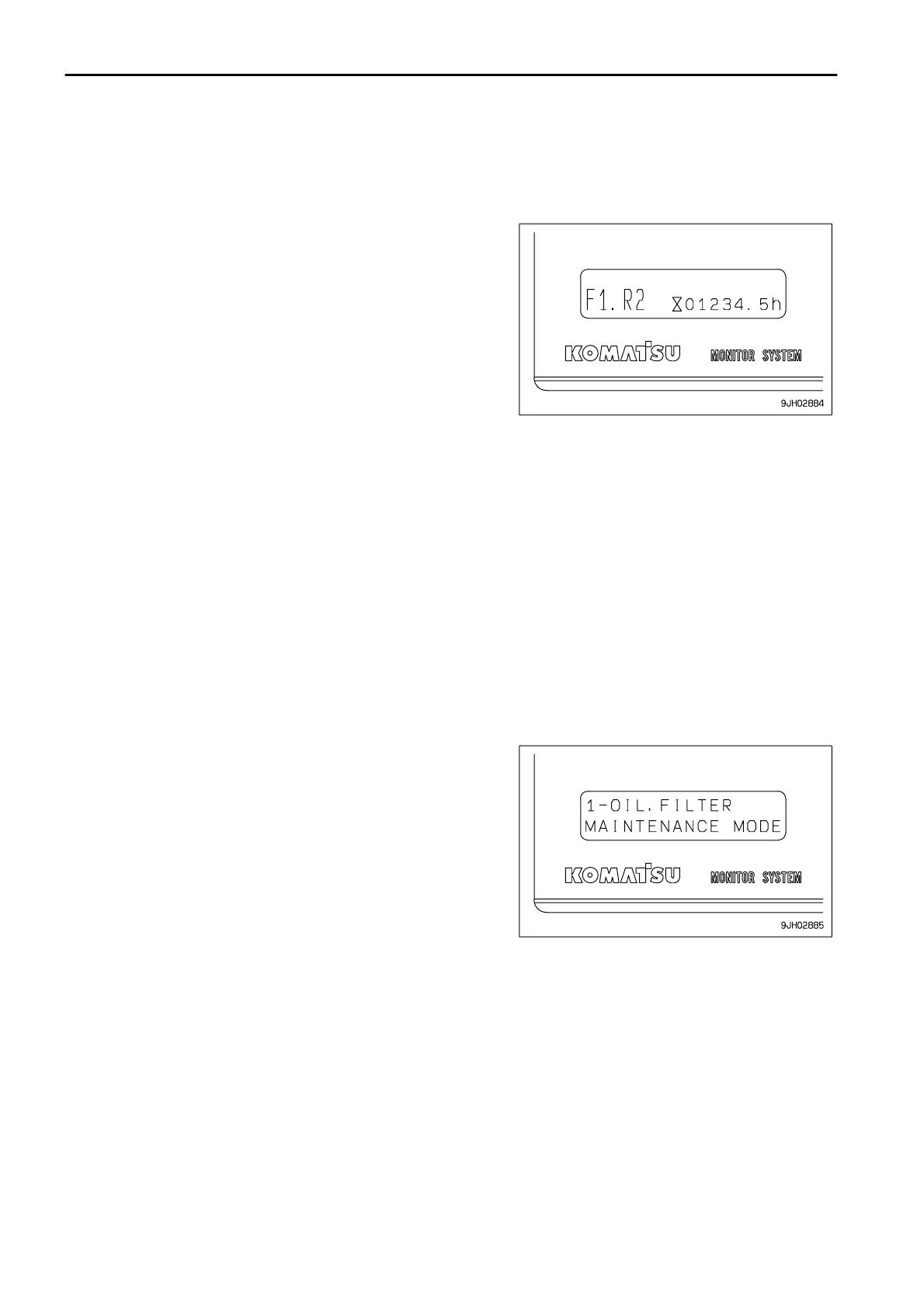
(1) Operating mode (normal operation screen)
Use this mode when operating the machine.
When the starting switch is turned from the OFF position to the ON
position, the multi-information is set to the operating mode.
The shift mode selected by operation of the GEARSHIFTING
USING SHIFT MODE SELECTION (PAGE 3-99) through the shift
mode selection is displayed on the left side of the monitor.
The total operating hours of the machine is displayed at the bottom
right of the monitor. (Use the service meter function display to set
the interval for periodic maintenance.)
When the engine is running, the service meter advances, even if
the machine is not being used.
When the engine is running, the hourglass mark pilot display at the
side of the meter lights up to show that the meter is advancing.
The meter advances by 1 for every hour of operation, regardless of
the engine speed.
If there is a failure in the machine, the failure code is also displayed
on the top line. If a failure code is displayed, carry out the remedy
given in "OTHER TROUBLE (PAGE 3-143)".
(2) Maintenance mode
The maintenance mode is displayed by continuing to turn the
information switch in the ¯ direction for 2.5 seconds.
For details, see "METHOD OF USING DISPLAY PANEL B
(Multi-information) (PAGE 3-26)".



 To Next Page