.
EXPLANATION OF COMPONENTS
METHOD OF SELECTING MODES
1.
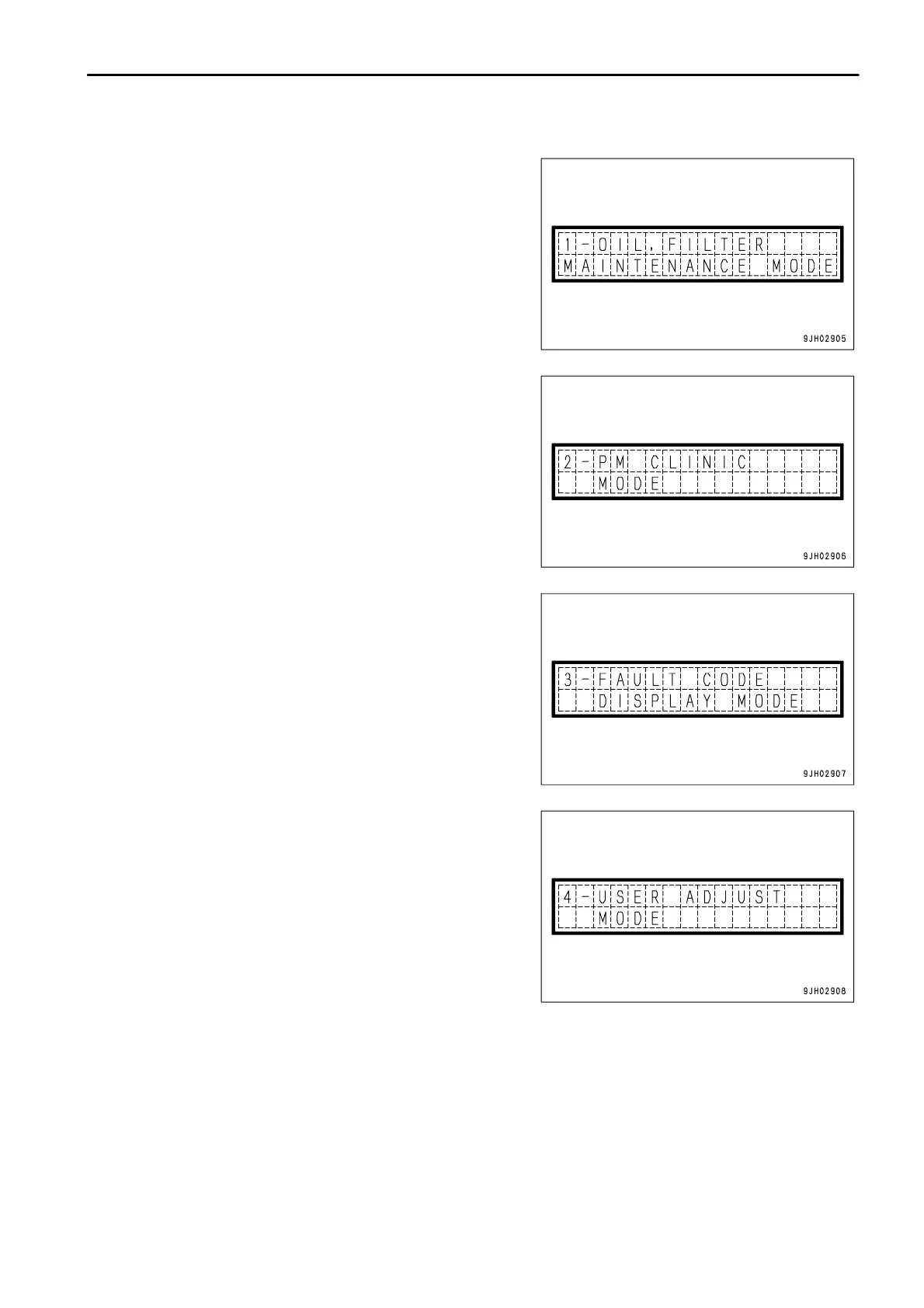
When moving from the normal operation display to a user
mode, the maintenance mode is displayed. Use the controls to
change the mode as follows.
> position: Go to PM clinic auxiliary mode
< position: Go to user adjust mode
¨ position: Go to normal operation screen
¯ position: Go to maintenance mode selection screen
20.
2.
The diagram on the right shows the screen display for the PM
clinic auxiliary mode. Use the controls to change the mode as
follows.
> position: Go to fault code display mode
< position: Go to maintenance mode
¨ position: Go to normal operation screen
¯ position: Go to PM clinic auxiliary mode selection item
screen
3. The diagram on the right shows the screen display for the fault
code display mode. Use the controls to change the mode as
follows.
> position: Go to adjustment mode
< position: Go to PM clinic auxiliary mode
¨ position: Go to normal operation screen
¯ position: Go to fault code selection item screen
4.
The diagram on the right shows the screen display for the user
adjust mode. Use the controls to change the mode as follows.
> position: Go to maintenance mode
< position: Go to fault code display mode
¨ position: Go to normal operation screen
¯ position: Go to user adjust mode selection item screen



 To Next Page