V3F25/18 drive
Installation Instruction
© 2004 KONE Corporation AM-11.65.020
All rights reserved. 23 (42) (E) 2004-01-08
5.1.3 Fine tuning the LWD setting
Follow this working order exactly. If you forget one step or give wrong values, you have to
restart whole LWD setting.
Fine adjustment of LWD with full load setting is necessary only if there are difficulties to get
accurate LWD values when the car is full loaded.
Step Action On display
Full load:
1 Place more than 90 % of the rated load in the car.
In
MiniSpace™ and MonoSpace® Special elevators:
Check that the springs under the car are not fully compressed.
Select
Enable LWD setup (6_74)
parameter.
0 is blinking.
Give the load value in kilos (kg). Load value is blinking.
Push ACCEPT. 6_74_0, all digits start to blink.
Push MENU 6_74
2 Select
Save (6_99) parameter . 0 is blinking in the display.
Turn 0 to 1 and press ACCEPT. 0 turns steady.
3 Leave menu 6 and check that the correct value is recorded by reading the value of
LWD adjustment (5_1) parameter.
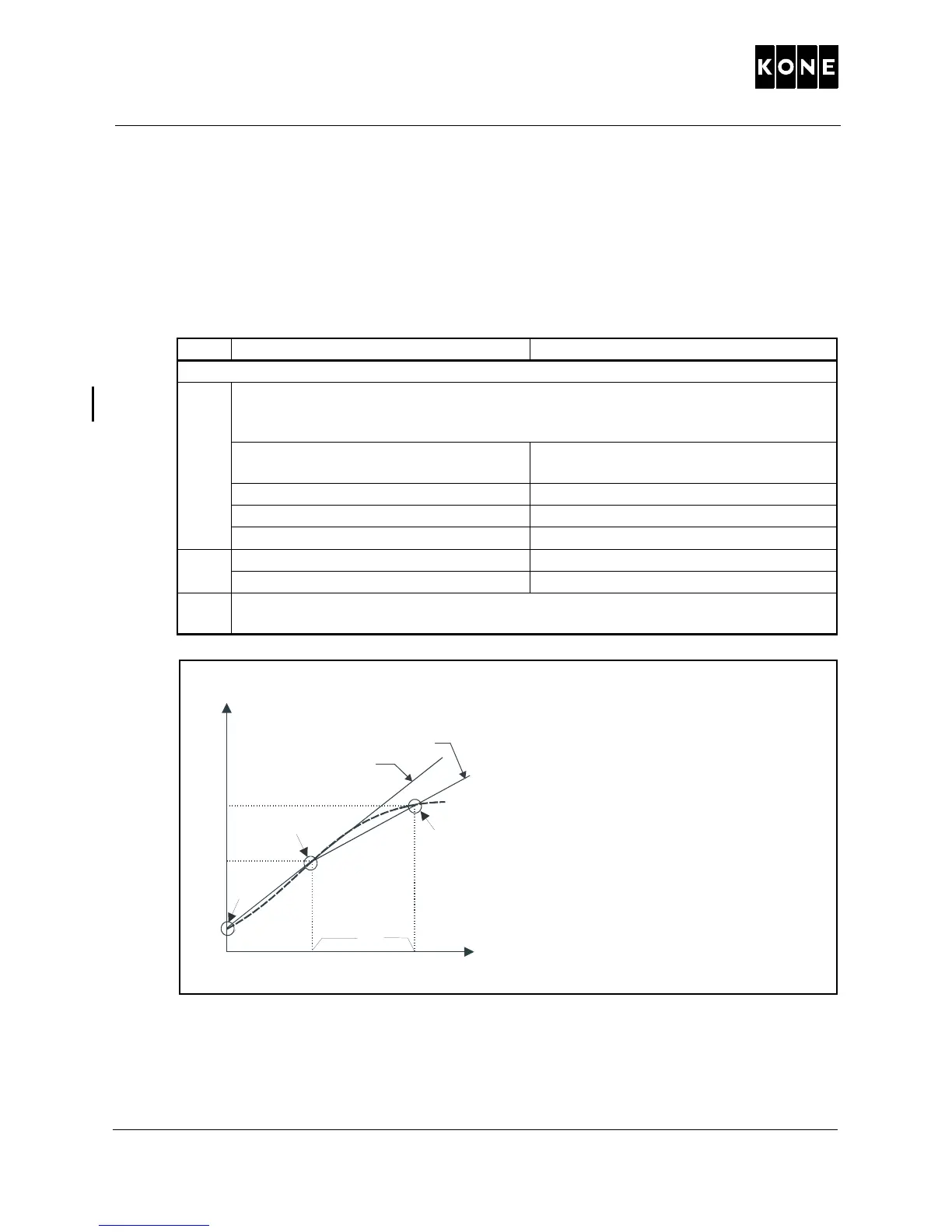
LWD input voltage (V)
A = Slope defined using 2 reference points.
B = Slope defined using 3 reference points.
0 = Zero load.
2. = Half load (40 - 60 %).
3. = Full load (> 90 %)
Load in car (kg)
1008860.wm



 To Next Page