Created by Hotline Support
Konica Minolta Hotline Support (UK)
12
SCAN TO E-MAIL
PLEASE NOTE THAT AN E-MAIL ACCOUNT MUST BE SET UP ON THE E-MAIL
SERVER PRIOR TO SETTING UP THE MACHINE
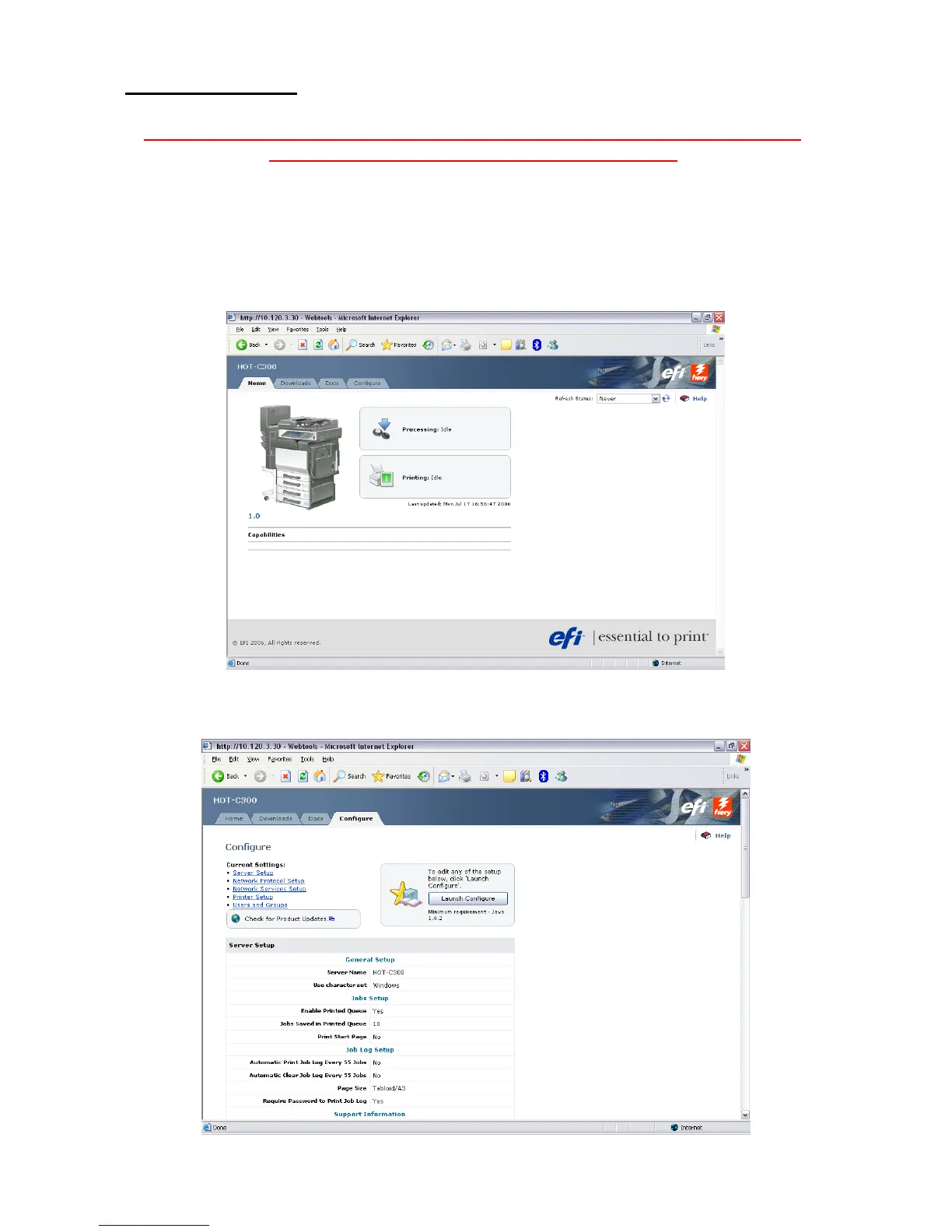
1) Using Internet Explorer, type the IP address of the Fiery/machine into the address bar
and press Go
2) Click on Fiery Web Tools and the new look Web Tools will be displayed
3) Click on Configure, which will give you a summary of the current settings







 To Next Page