Created by Hotline Support
Konica Minolta Hotline Support (UK)
27
C350 with the Embedded Controller
SCAN TO HDD
– remember to permit the Box Function under Utility - Admin Mode
- 2/4
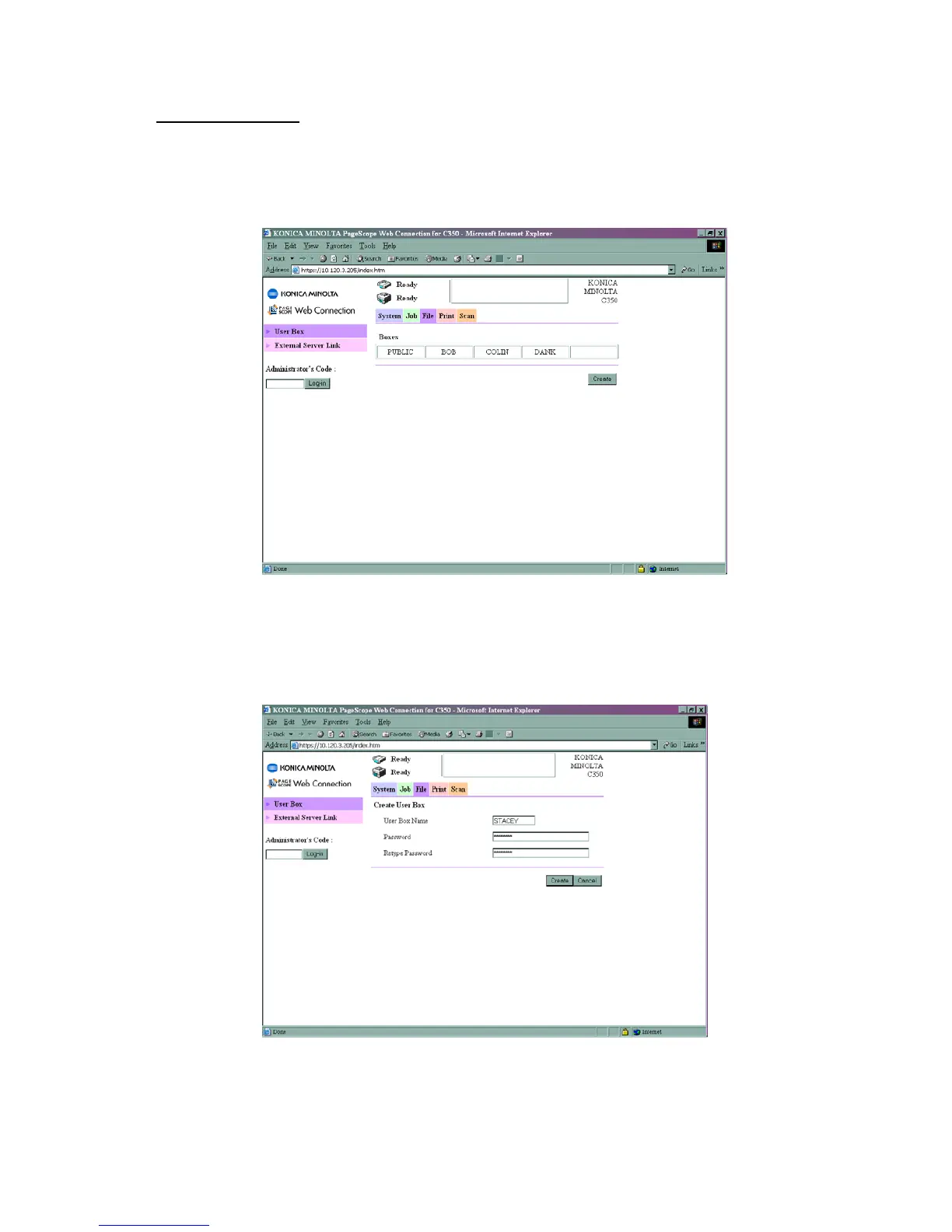
1) Using Internet Explorer, type the IP address of the Konica Minolta machine into
the address bar and press Go
2) Click on File at the top of the screen and then Create
3) Enter a User Box Name and Password. Remember that this is case sensitive
and the User Box Name must be entered in CAPITAL LETTERS. These will be the
details you will use to retrieve you scans through the web interface or the Box
Utility.
4) Click Create
5) Click on Scan at the top of the page
6) Click on Index 1







 To Next Page