Created by Hotline Support
Konica Minolta Hotline Support (UK)
28
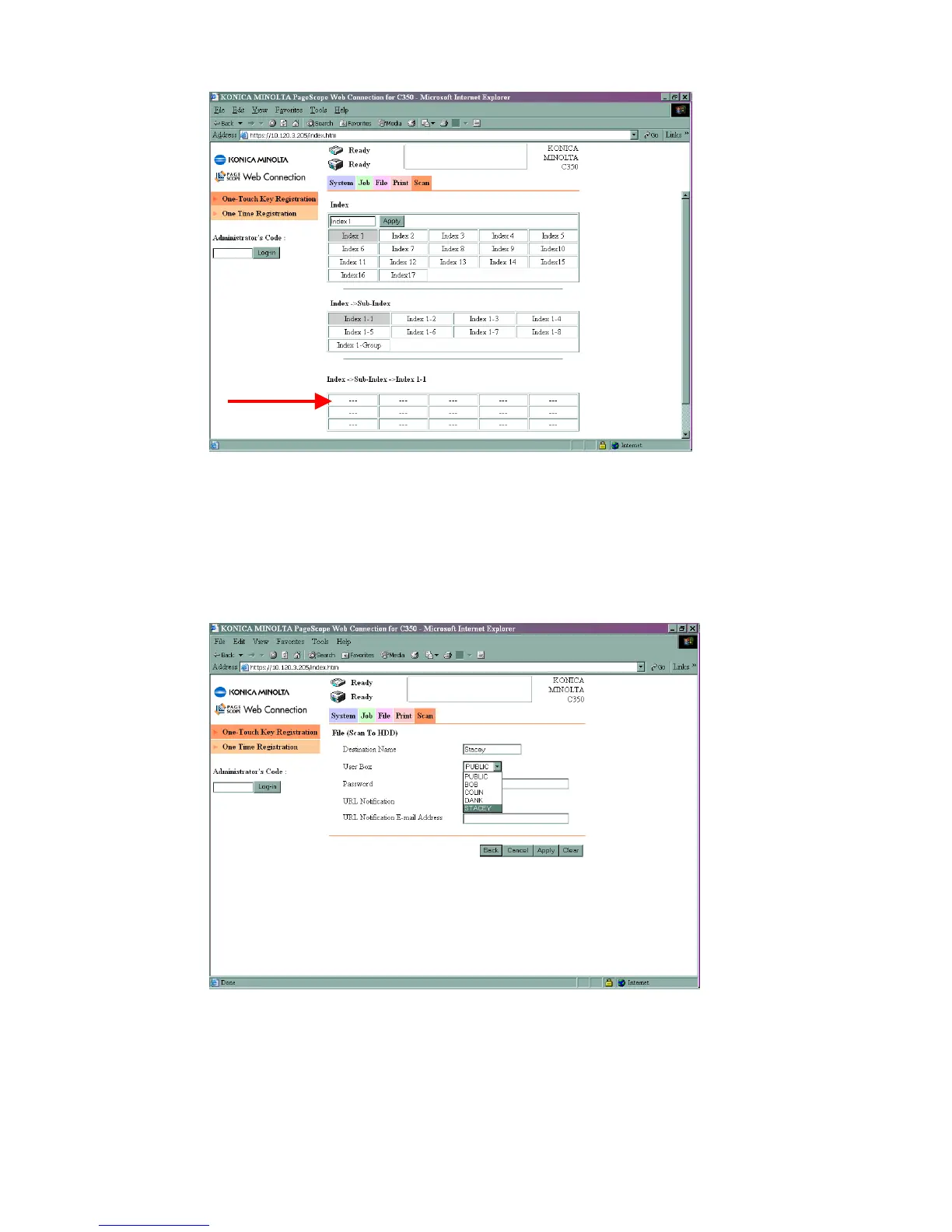
7) Click on the first set of available 3 dots under Index 1, Sub-Index, Index 1-1
(You can rename the Index’s by typing a new name into the box and clicking Apply)
8) Choose File (Scan to HDD) and click Next
9) Fill in the Destination Name button (this is the name of the button you wish to
appear on the machine), the User Box (drop this box down and choose the User
Box you created earlier), and give the box a password.
10) Click Apply







 To Next Page