Created by Hotline Support
Konica Minolta Hotline Support (UK)
26
TO CREATE A SPEED DIAL BUTTON
1) Following on from the instructions on page 25
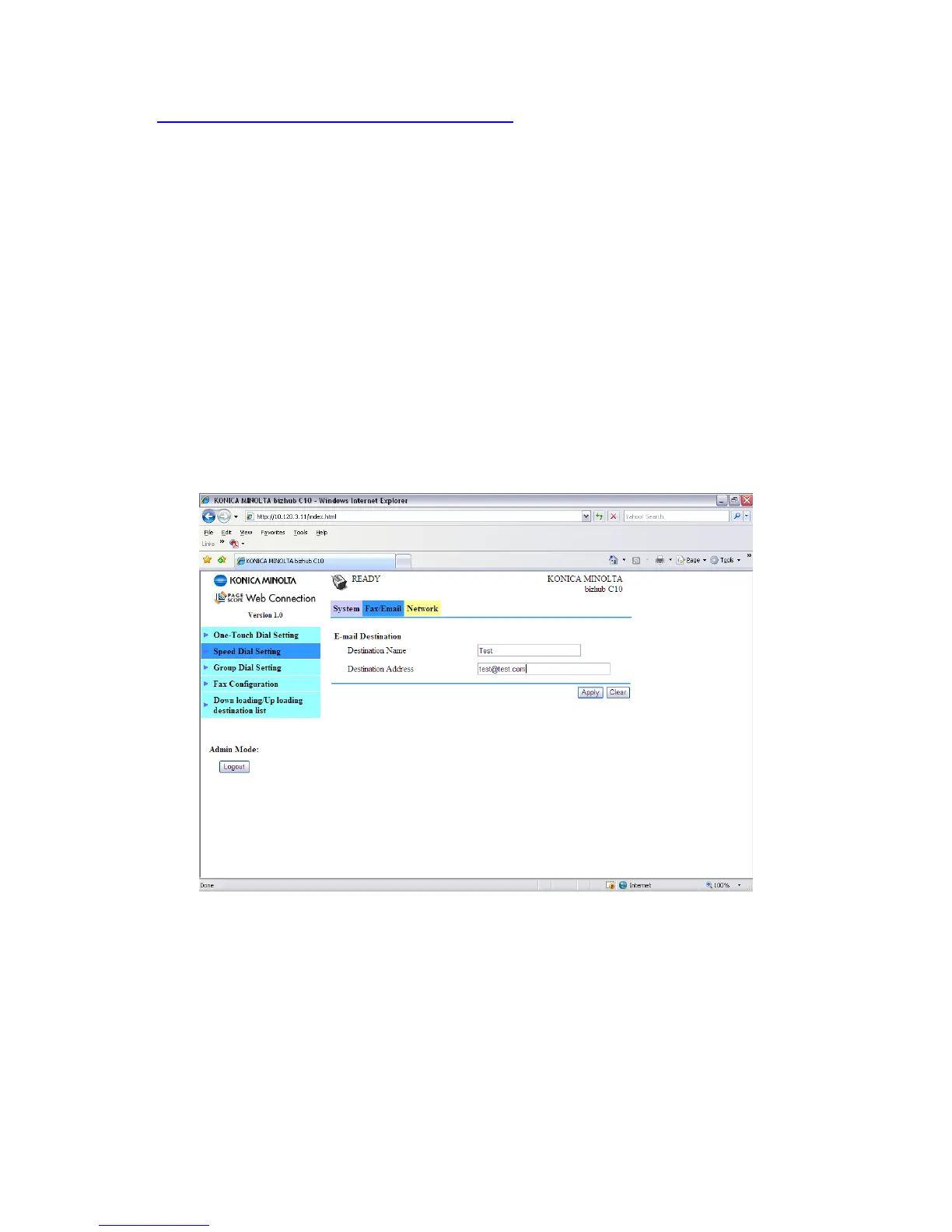
2) Click on the Fax\E-mail tab at the top of the screen
3) On the left of the screen, click on Speed Dial Setting
4) Click on the Speed Dial number you wish to register. This can range from 001
to 100.
5) Choose E-mail from the drop down list and click ‘Apply’
6) On the next screen that appears, enter in a ‘Destination Name’ (this is the
name of the user) and a ‘Destination Address’ (this is the users e-mail address)
7) Click ‘Apply’ and log out of Admin Mode
You Speed Dial button is now configured and ready for use.







 To Next Page