Created by Hotline Support
Konica Minolta Hotline Support (UK)
34
7) Logout
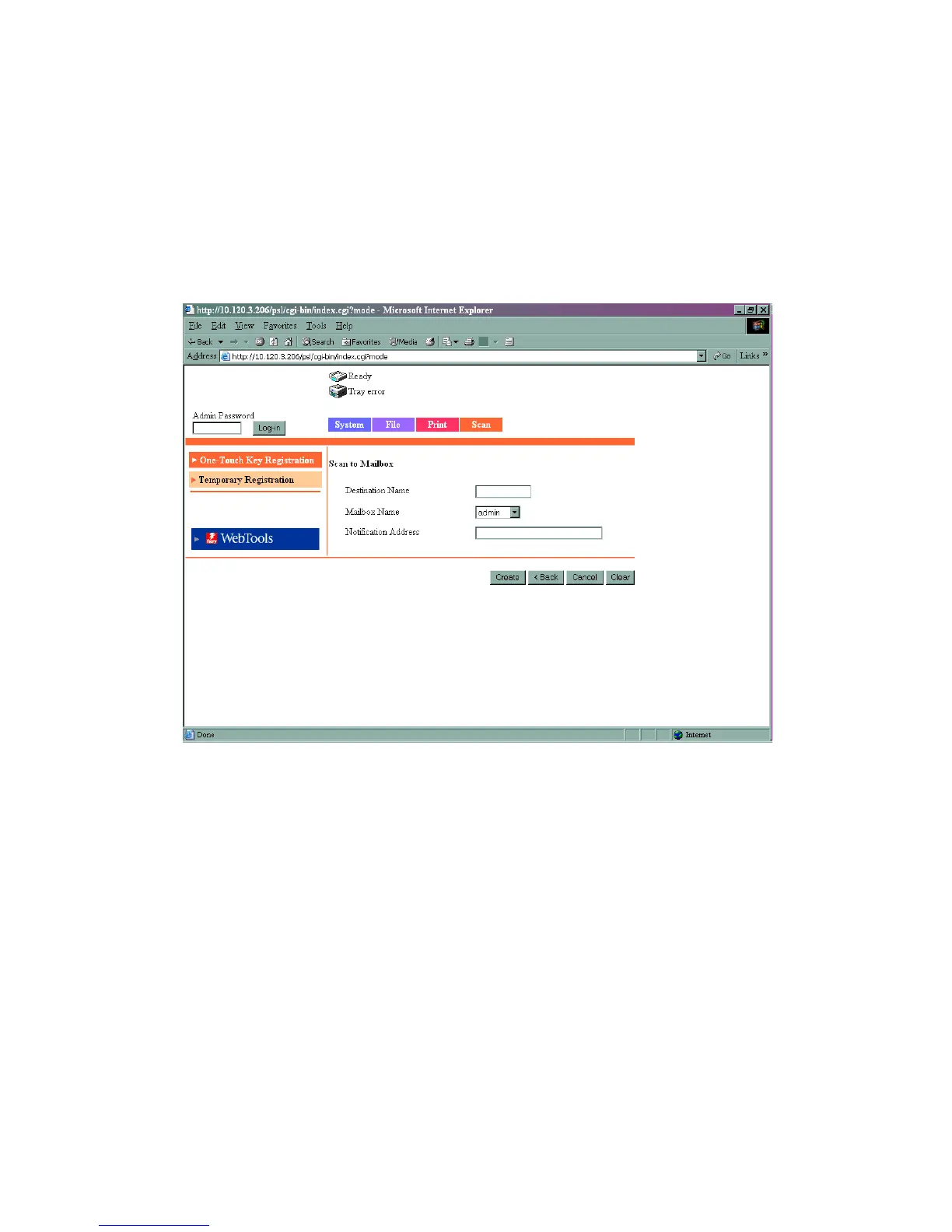
8) Click on the Scan tab at the top of the screen
9) Click on Index 1 and rename it to HDD and click Apply
10) Click on the first set of available 3 dots and choose Scan to Mailbox as the
destination
11) Type the Name of the button that you wish to appear on the machine and
the mailbox details they require.
12) Click Create







 To Next Page