Created by Hotline Support
Konica Minolta Hotline Support (UK)
36
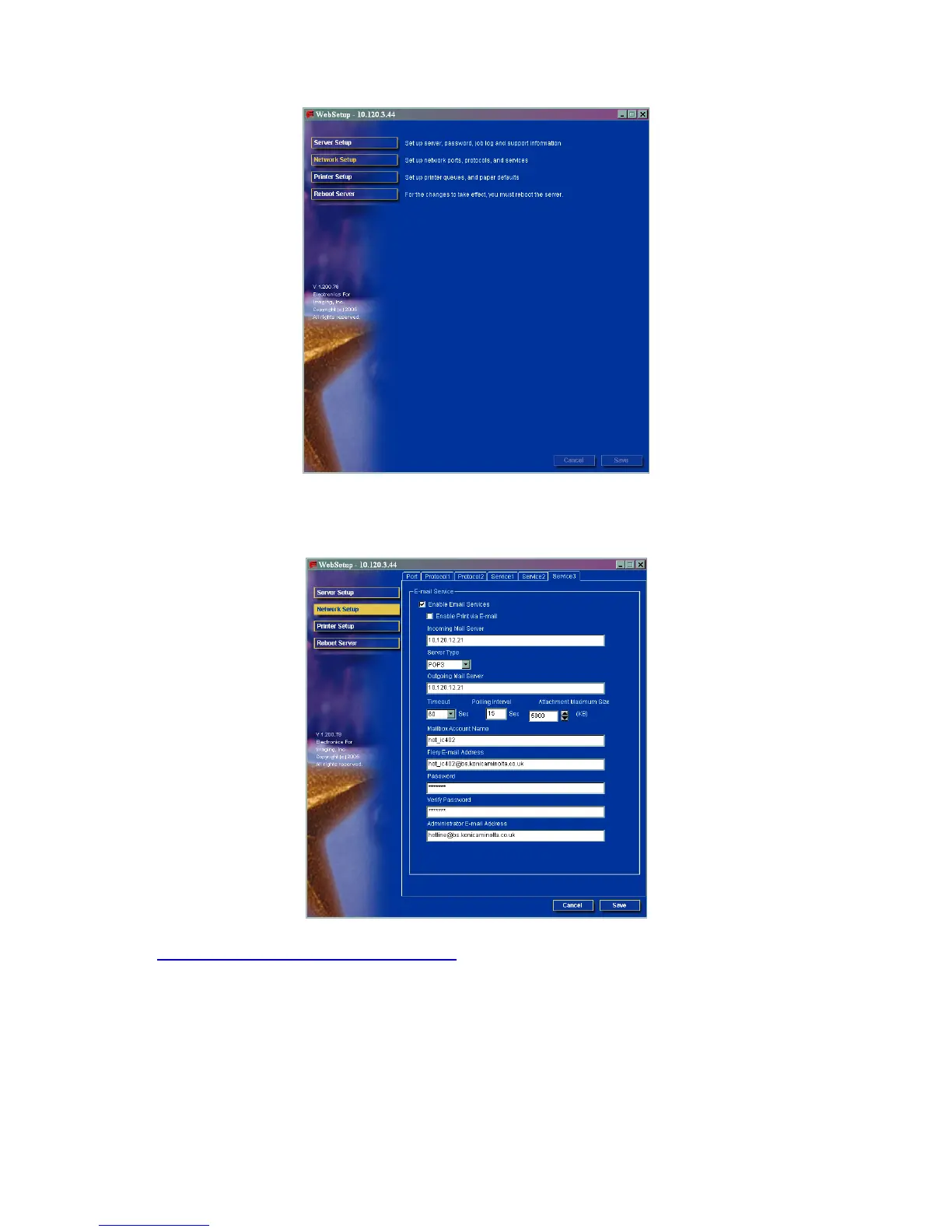
5) Click on Network Setup
6) Click on ‘Service 3’ at the top of the page and enter in the details of the
customers e-mail server.
CREATING A ONE TOUCH BUTTON
1) Click on SCAN at the top of the screen
2) Click on the first set of available 3 dots under one of the Indexes
3) Choose the type of button you wish to create. I.E. Scan to E-mail
4) Click Next
5) Enter in the Name of the button that will appear on the machine and the
e-mail address of the user







 To Next Page