Created by Hotline Support
Konica Minolta Hotline Support (UK)
5
4) Click Next
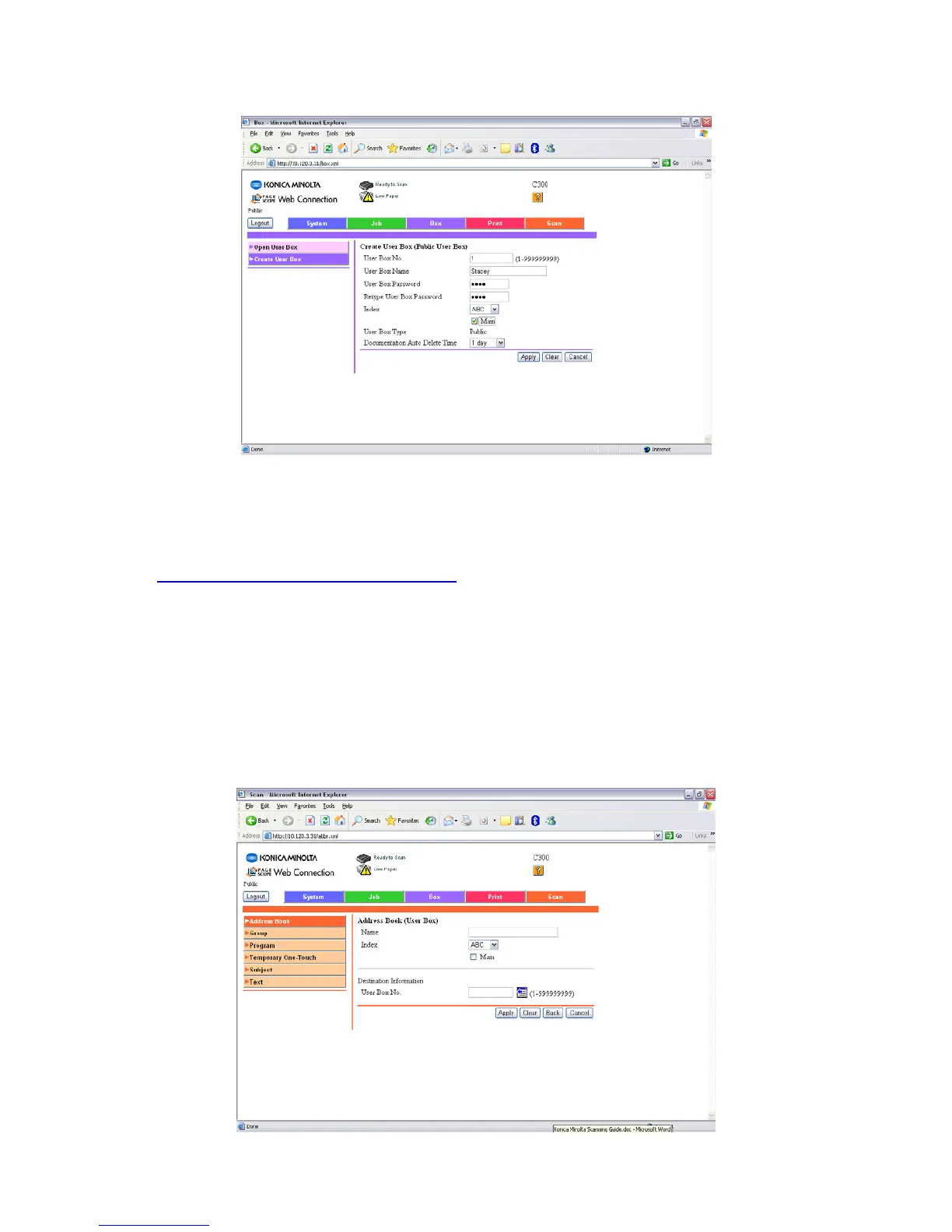
5) Type in your User Box Number, Name and Password.
6) Click Apply
7) A message saying ‘Completed’ will be displayed. Click OK.
CREATING A ONE TOUCH BUTTON
1) Click on SCAN at the top of the screen
2) Click on New Registration
3) Choose the type of button you wish to create. I.E. User Box
4) Click Next
5) Fill out the details for your box. The Name is the name of the button that will
appear on the machine. The User Box No. must relate to the User Box you
created previously. The Index is the index the button will appear under on the
machine.







 To Next Page