Created by Hotline Support
Konica Minolta Hotline Support (UK)
7
CREATING A ONE TOUCH BUTTON
1) Following on from the instructions on page 6, log back in as a Public User
2) Click on SCAN at the top of the screen
3) Click on New Registration
4) Choose the type of button you wish to create. I.E. E-mail
5) Click Next
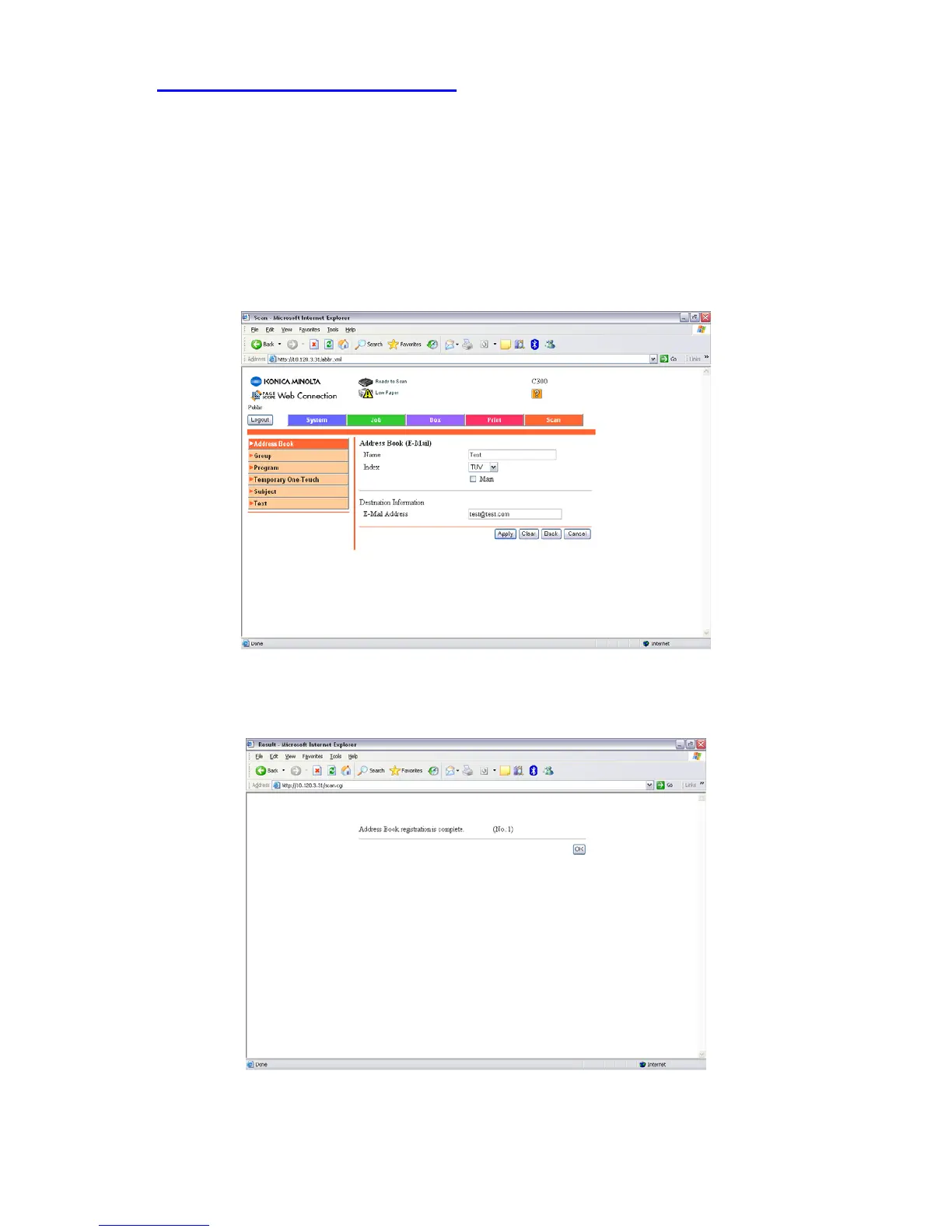
6) Enter in the Name of the button you wish to appear on the machine, the Index
in which it is to appear under, and the E-mail Address you require your e-mails
sending to.
7) Click Apply and it should display the following screen. Click OK







 To Next Page