105
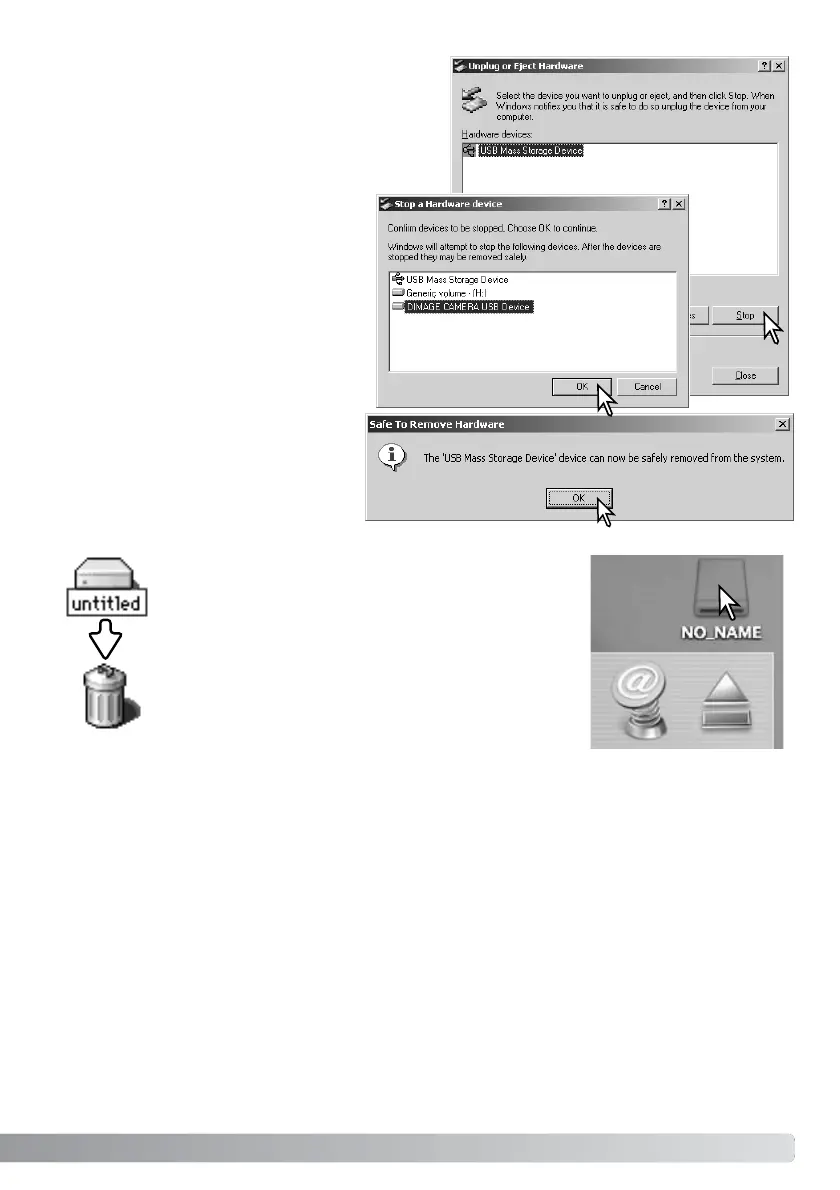
The hardware devices to be stopped will be dis-
played. Highlight the device by clicking on it then
click “Stop.”
Confirm that the access lamp is not lit and then drag the
mass-storage device icon and drop it into the trash. Turn
the camera off, and then disconnect the USB cable.
A confirmation screen will appear to indi-
cate the devices to be stopped. Clicking
“OK” will stop the device.
A third and final screen will appear to
indicate the camera can be safely dis-
connected from the computer. Close the
window, turn the camera off, and then
disconnect the USB cable.
Macintosh



 To Next Page
 Loading...










