17
Turning on the camera and displays
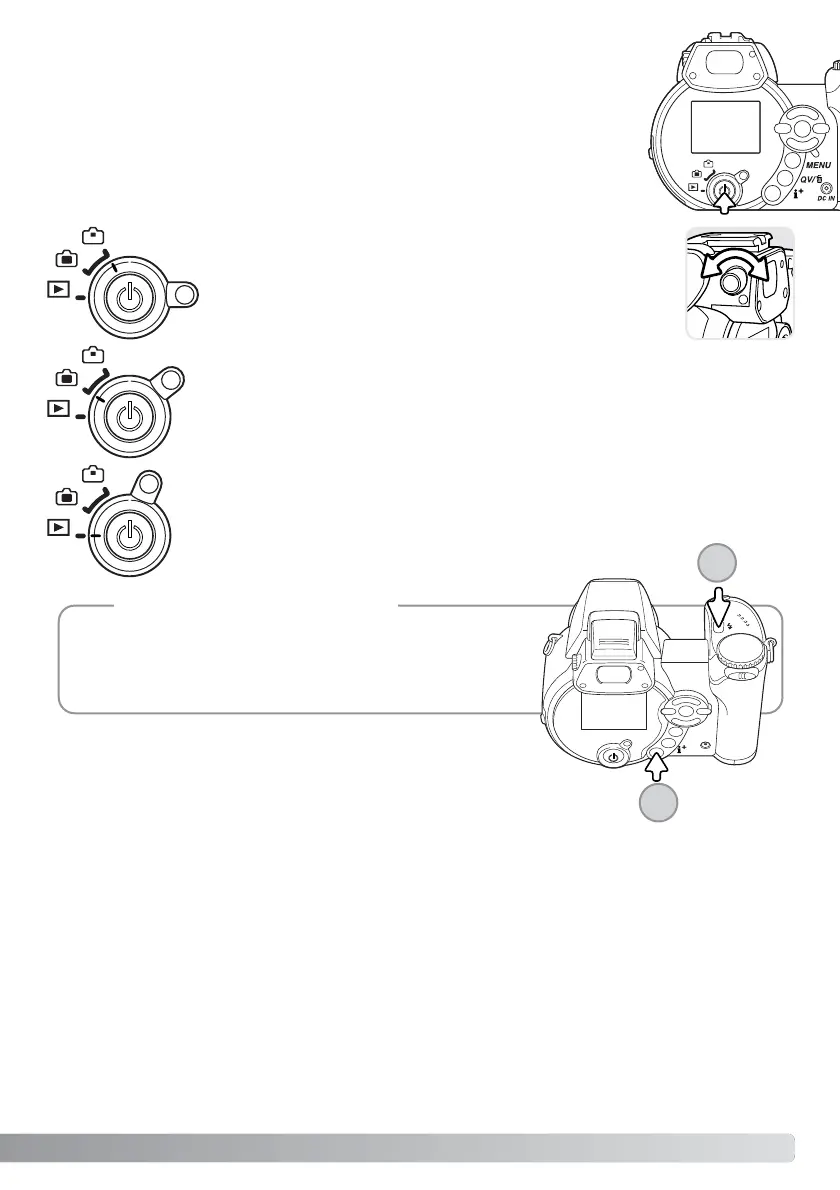
Press the main switch to turn the camera on. Pressing the switch again turns
the camera off.
Around the main switch is the mode switch. This switch is used to change
between the recording and playback modes as well as the selecting the
between the monitor and viewfinder display.
Recording mode (Monitor display) - the camera can record images and the
monitor is viewed directly.
Playback mode (Monitor display) - images can be played back and edited. The
monitor is viewed directly.
To use the viewfinder in the playback mode, press and hold
the flash mode button (1) and then press and hold the infor-
mation (i+) button (2) until the monitor switches to the
viewfinder position.
Camera notes
Recording mode (Viewfinder display) - the camera can record
images and the monitor is viewed through the viewfinder. The
viewfinder has a built-in diopter. While looking through the
viewfinder, turn the diopter-adjustment dial until the monitor
image is sharp.
1
2



 To Next Page
 Loading...










