The shutter speed and aperture control more than the exposure. The shutter speed determines
how sharp a moving subject is. The aperture controls the depth of field; the area in front of the
camera that appears sharp. For more on exposure controls, see the Short Guide to
Photography on page 68.
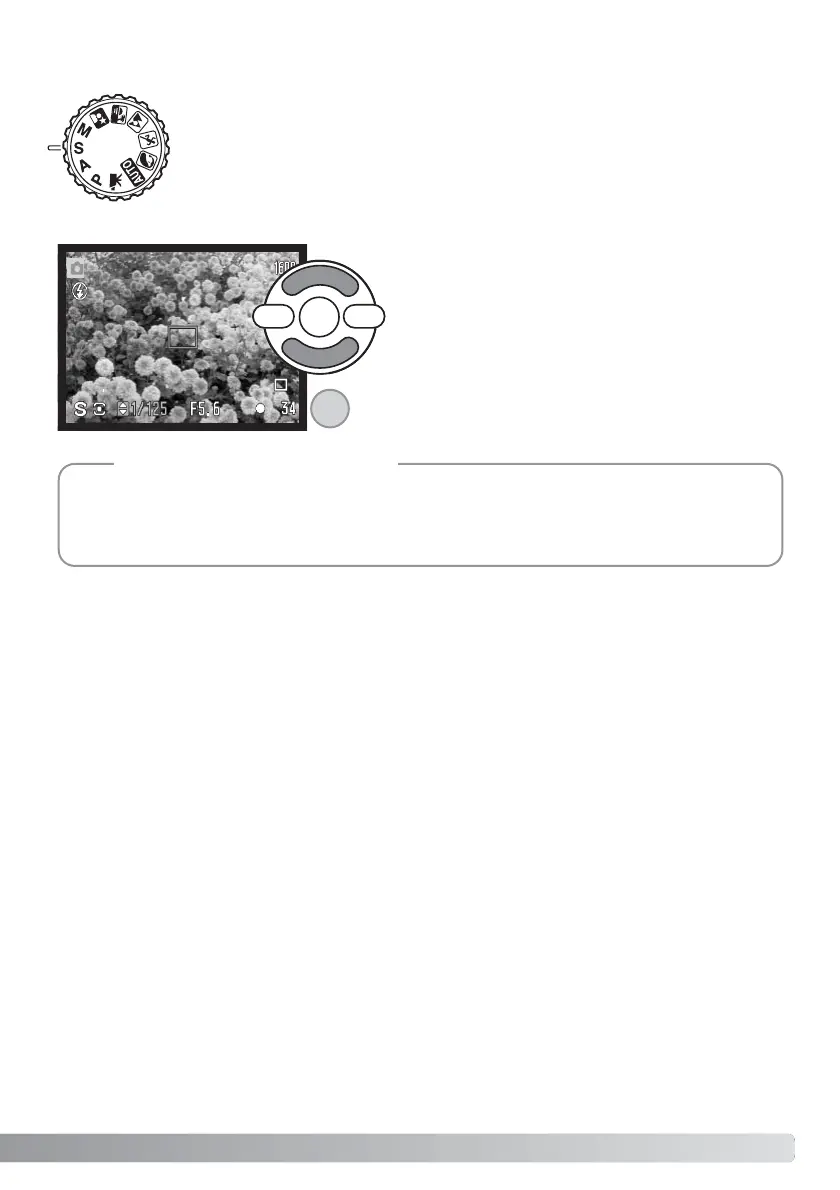
The photographer selects the shutter speed and the camera sets the appropriate
aperture to ensure correct exposure. When shutter priority is selected, the shutter
speed on the monitor turns blue and a double arrow indicator appears next to it.
The shutter speed can be set between 1/1000 and 15 seconds. If the shutter
speed is beyond the aperture range, the aperture display will turn red. The flash
mode can be set to fill-flash, fill-flash with red-eye reduction, or slow sync. with
red-eye reduction (p. 26).
Use the up/down keys of the controller (1) to set the
shutter speed. Press the shutter-release button part-
way down to activate the exposure system; the cor-
responding aperture will be displayed on the moni-
tor.
Shutter priority (S) Exposure mode
Shooting Tips
37
1



 To Next Page
 Loading...










