•
When using 3G/3.5G/4G to connect to uCare Cam, the App will use P2P mode.
If the smartphone download speed is too slow
, the App will switch to relay mode. The user can force
the App to reconnect to the uCare Cam and it will try P2P mode again. To force reconnect, press and hold the
camera name on the Camera list. A pop-up menu will appear with the option to “Reconnect”. Please click
“Reconnect”.
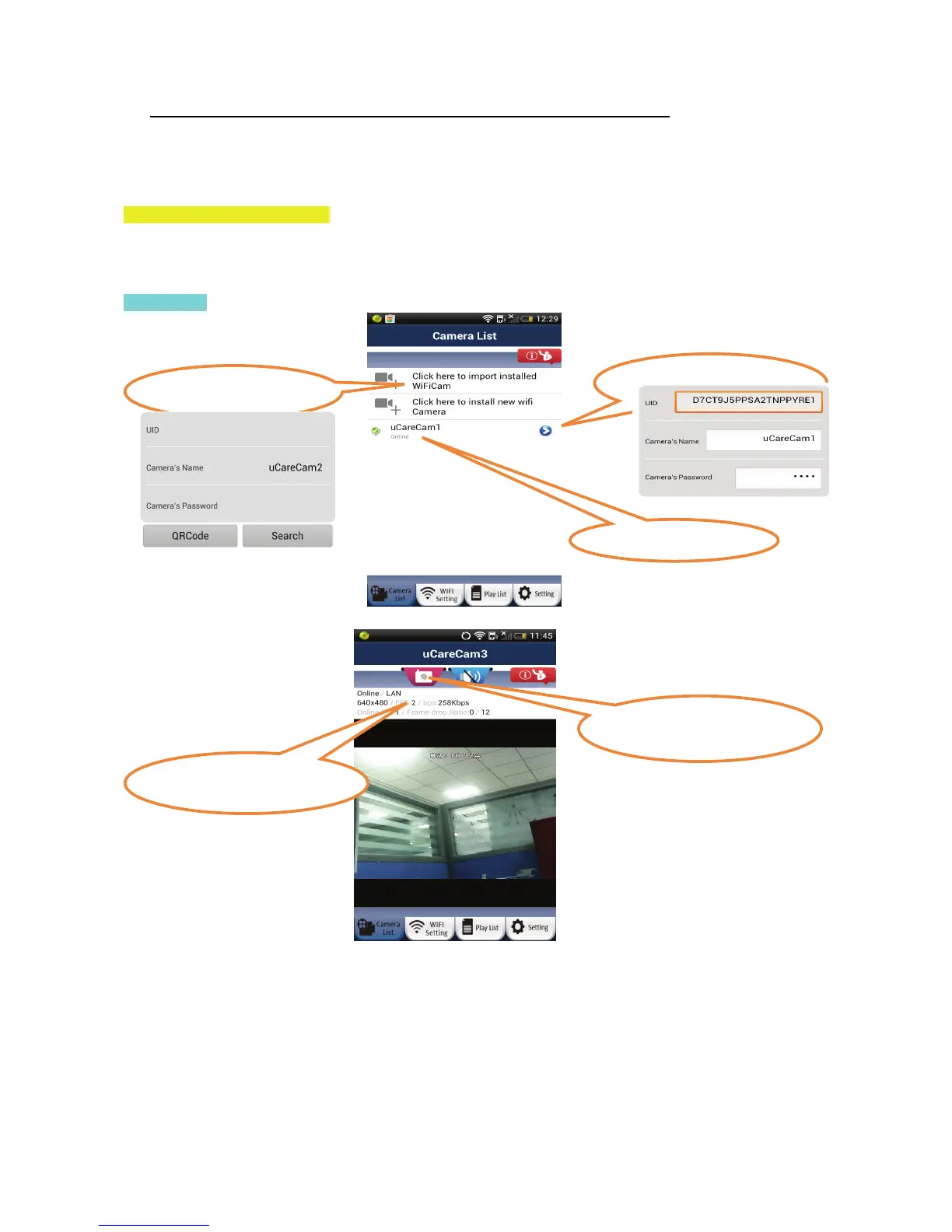
I. Using the uCare Cam App
The uCare Cam has a lot of functions possible through the Smartphone App. Please see below for some of
the key functions.
Camera List
Camera On-Line
Add Camera that
has alread


 To Next Page