Set Email Alerts
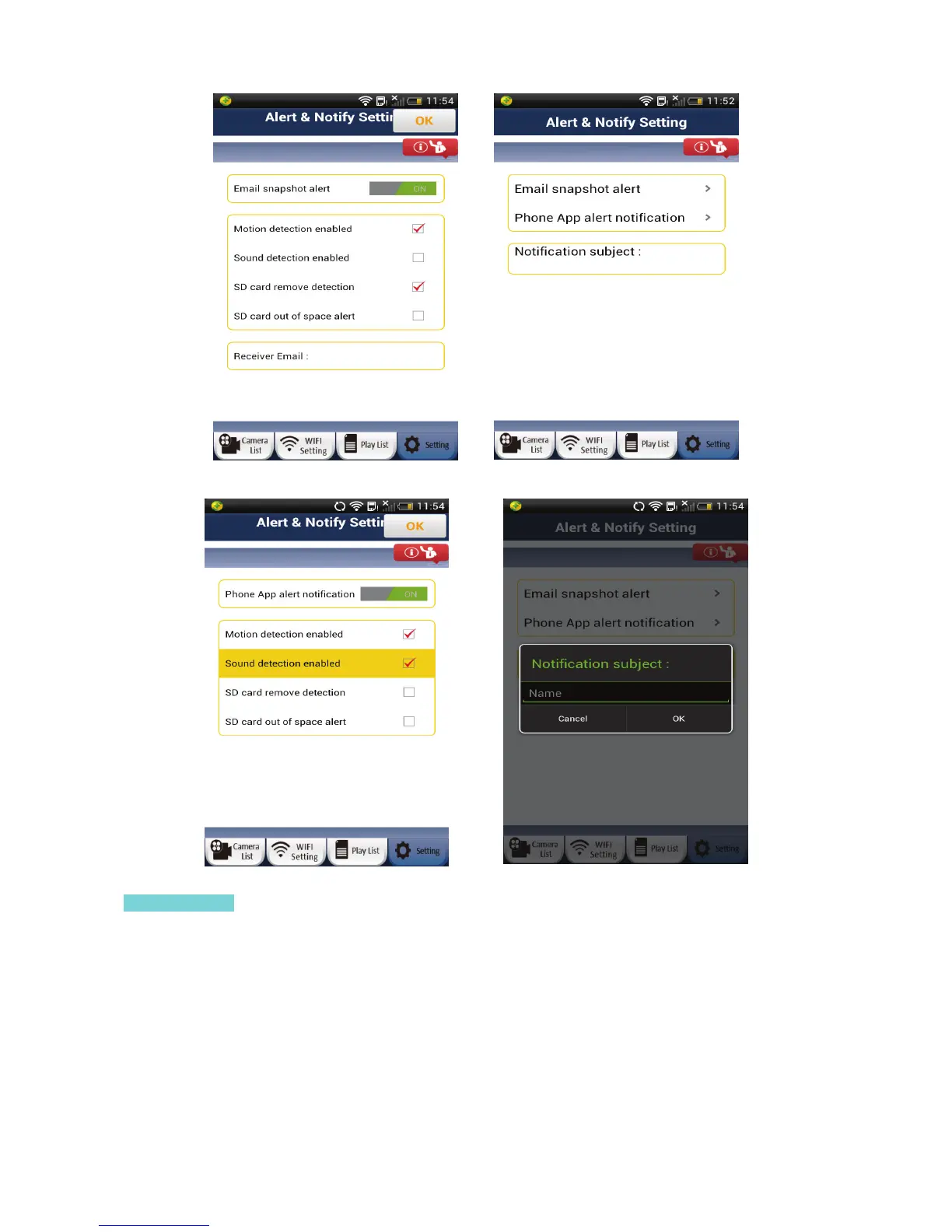
To setup your email to receive motion/sound/etc. alerts, please login to the “Settings” page with Manager
name and password (default: admin / 0000).
1) Click on “Alert & Notify Setting” or “Warning & Notify Setting”.
2) Click on “Email snapshot alert”
3) You will see a variety of options. You can touch and scroll down the page to see more options.
16


 To Next Page