4)
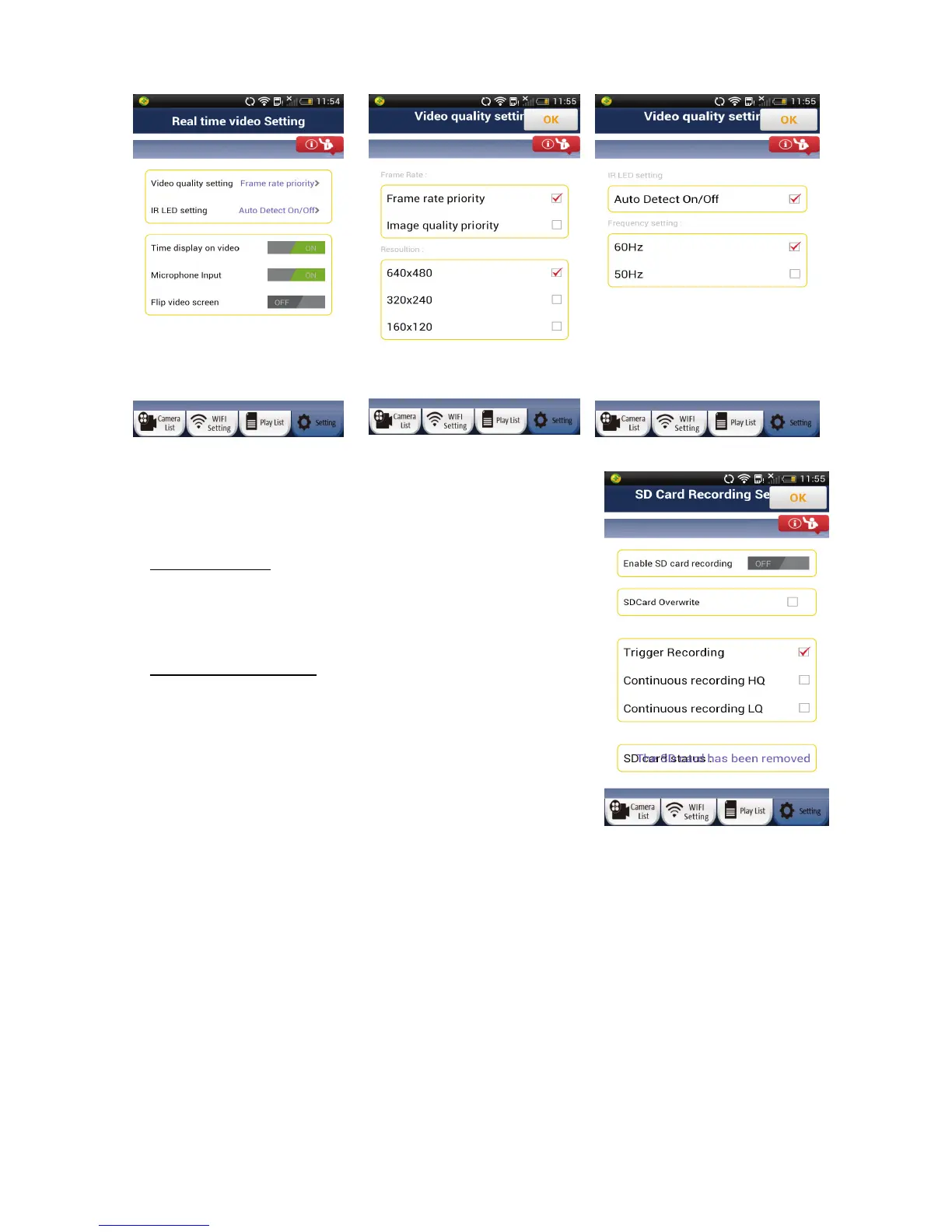
SD Card Recording Setting
User can insert a microSD card into the camera to enable the
recording function.
Trigger Recording:
The camera will automatically start recording when a trigger event
(motion, sound, and other events) have occurred. The camera will
record for 60 seconds. If another trigger event occurs, the camera
will record for another 60 seconds; otherwise it will stop recording.
Continuous Recording:
User can setup uCare Cam to
constantly record. A video file will be saved every two minutes.
When the microSD card is full, if “SDCard Overwrite” is checked, the
programme will remove the oldest video files and continue to record.
Otherwise, it will stop recording. “HQ” means high quality recording.
“LQ” means low quality recording.
18


 To Next Page