7)
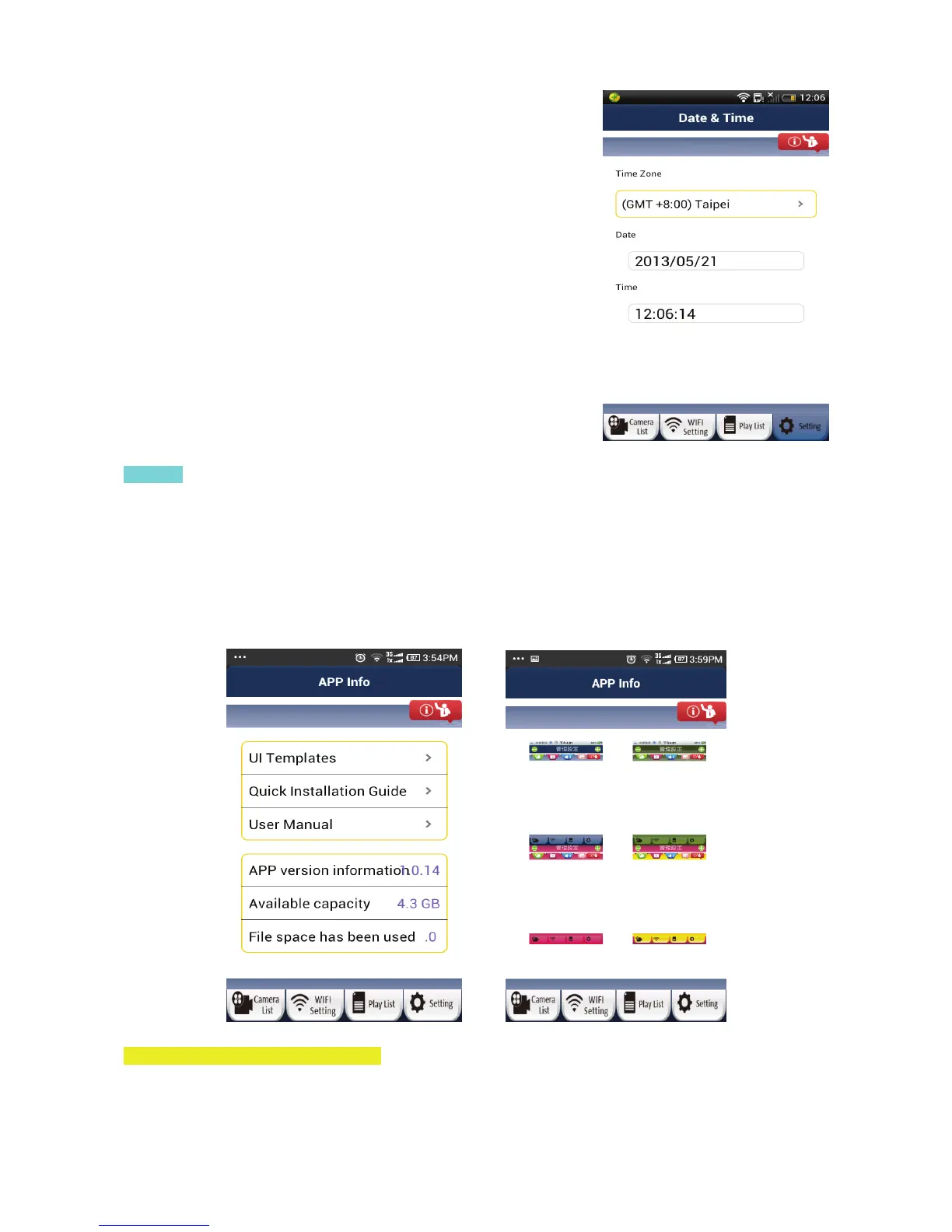
Date & Time
User can only adjust the Time Zone. The Date and Time will be
factory set and the user cannot change it.
App Info
In the App info page, the user can see options related to the App, not specific to a camera. To go to the App
info page, please click on the top right hand corner of screen. Inside the App info page, the user can:
• Switch the App user interface skin to a different colour template.
• See the Quick Installation Guide
• See this Detailed Instruction Manual
• See the App version number
• See the memory usage of the uCare Cam App on your smartphone.
J. Update your uCare Cam firmware
1. Download firmware and un-compress the file.
2. Copy “update.bin” to microSD Card top folder, for example H:\
20



 To Next Page