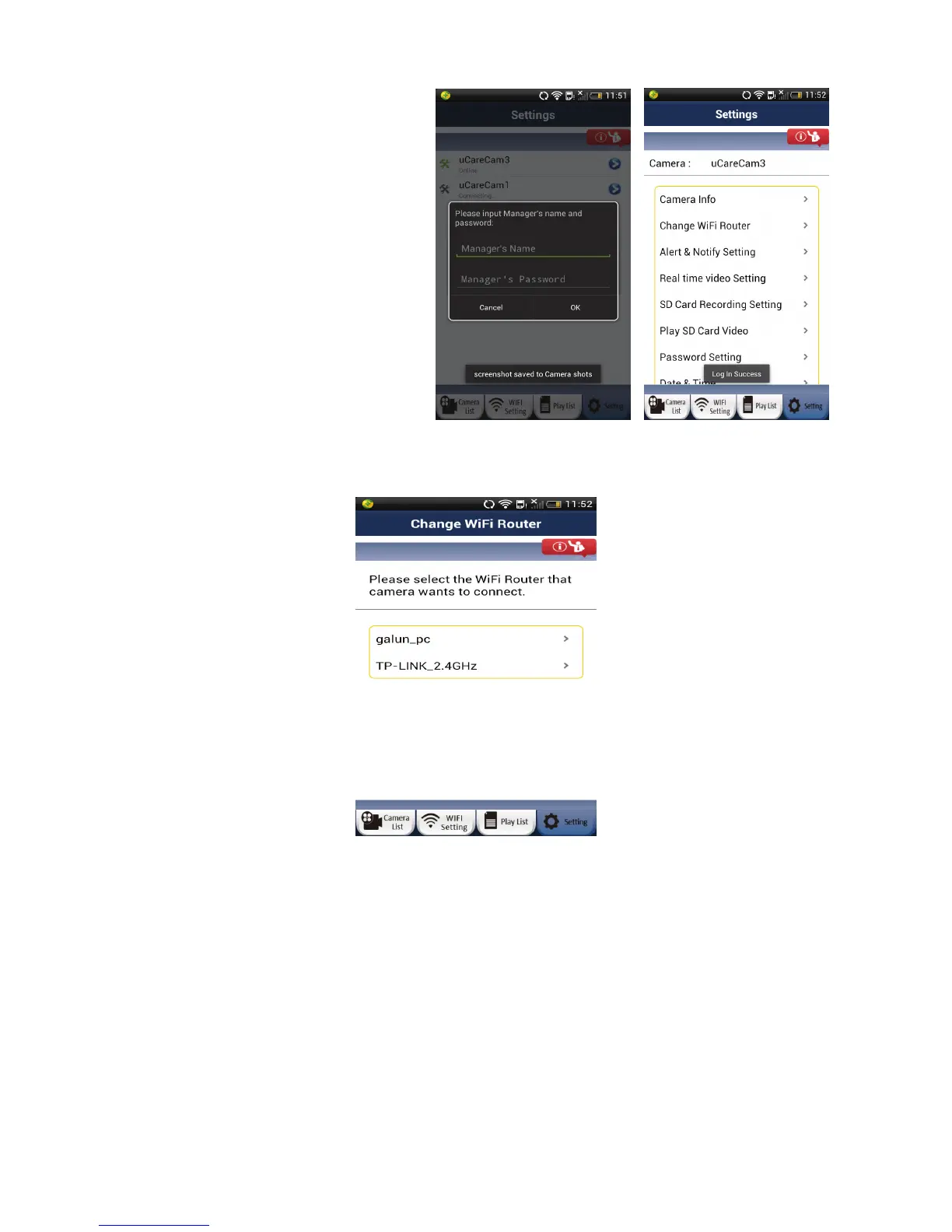
Here, the user can:
• Check Camera Info
• Change WiFi Router
• Change Alarm Settings – “Warning &
Notify Setting”
• Set Real-time video
• Check SD Card Recording
• Play SD Card Video
• Set Password
• Change Date & Time
1) Change WiFi Router
User can remotely switch the camera to connect to a different WiFi router.
2) Alert & Notify Setting / Warning & Notify Setting
The camera has a number of hardware alarm detection possibilities.
User can set the desired trigger and notification. When a new event is generated, the App will notify the
user either through email or through a push notification on the smartphone.
15


 To Next Page