Need help?
Do you have a question about the Korg KR-11 and is the answer not in the manual?
Instructions for installing AA alkaline batteries into the unit.
Guide for connecting AC adapter, headphones, speakers, and pedal switches.
Steps to safely turn the KR-11 unit on and off.
Details on the automatic power-off function and how to configure it.
How to choose and play rhythm patterns using genre and number buttons.
Methods for adjusting the tempo using the tempo knob or TAP button.
Procedure for changing patterns and musical genres during playback.
How to insert fill-in phrases to accentuate rhythm breaks.
Setting up a count-in before a rhythm pattern begins playing.
Adjusting the swing depth for a syncopated rhythm feel.
Steps to activate and use the metronome function.
Using buttons as pads to play drum kits in pad play mode.
Table showing drum kit sounds assigned to genres and pads.
How to create new patterns based on existing ones, including recording.
Detailed steps for recording new rhythm patterns, including editing.
Method for deleting specific notes while recording or editing patterns.
Procedure for saving created or edited rhythm patterns.
Steps to create a completely new rhythm pattern from scratch.
Adjusting tempo, beats, and quantize settings before recording.
How to use quantization to smooth out timing inconsistencies.
Adjusting the depth of swing for eighth and sixteenth notes.
Instructions for entering demo mode and playing back preset rhythms.
Summary of global settings like velocity, metronome volume, and auto power-off.
Configuring how pad volume changes with playing force.
Setting the metronome volume specifically for recording operations.
Configuring the time before the unit automatically powers off.
How to connect and use pedal switches for pattern playback and pad control.
Customizing pedal switch operations for different modes and genres.
Solutions for when the KR-11 unit fails to power on.
Troubleshooting steps for when no sound is output from the unit.
Addressing sound distortion or insufficient volume, often battery related.
Fixes for unresponsive MODE buttons or connected pedal switches.
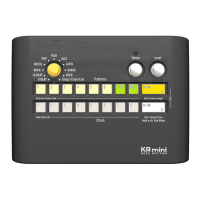
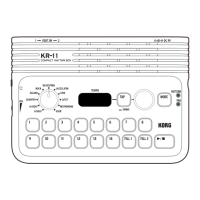
The Korg KR-11 is a compact rhythm box designed for musicians to create and play rhythm patterns. It serves as an owner's manual for the device, providing comprehensive instructions on its operation, features, and maintenance.
The KR-11 is a versatile rhythm box that allows users to select and play back a wide variety of rhythm patterns across different genres, including Blues/R&B, Rock, Island, Jazz/Latin, EDM, Country, 3/5/7, 16 Beat, and 8 Beat. It also features a metronome function for practice and timing. Users can set the tempo, add fill-ins to accentuate rhythm breaks, and incorporate a swing feel for a syncopated sound. A key feature is the ability to create new rhythm patterns, either by building upon existing patterns or starting from scratch. The device also supports finger drumming using its 1-14 buttons and FILL 1/2 buttons as pads, with preregistered percussion sounds. Pedal switches can be connected to control various functions, such as playback, stopping patterns, inserting fill-ins, controlling tempo, or triggering pad sounds. The unit includes a demo mode to showcase its rhythm patterns.

 To Next Page

 General