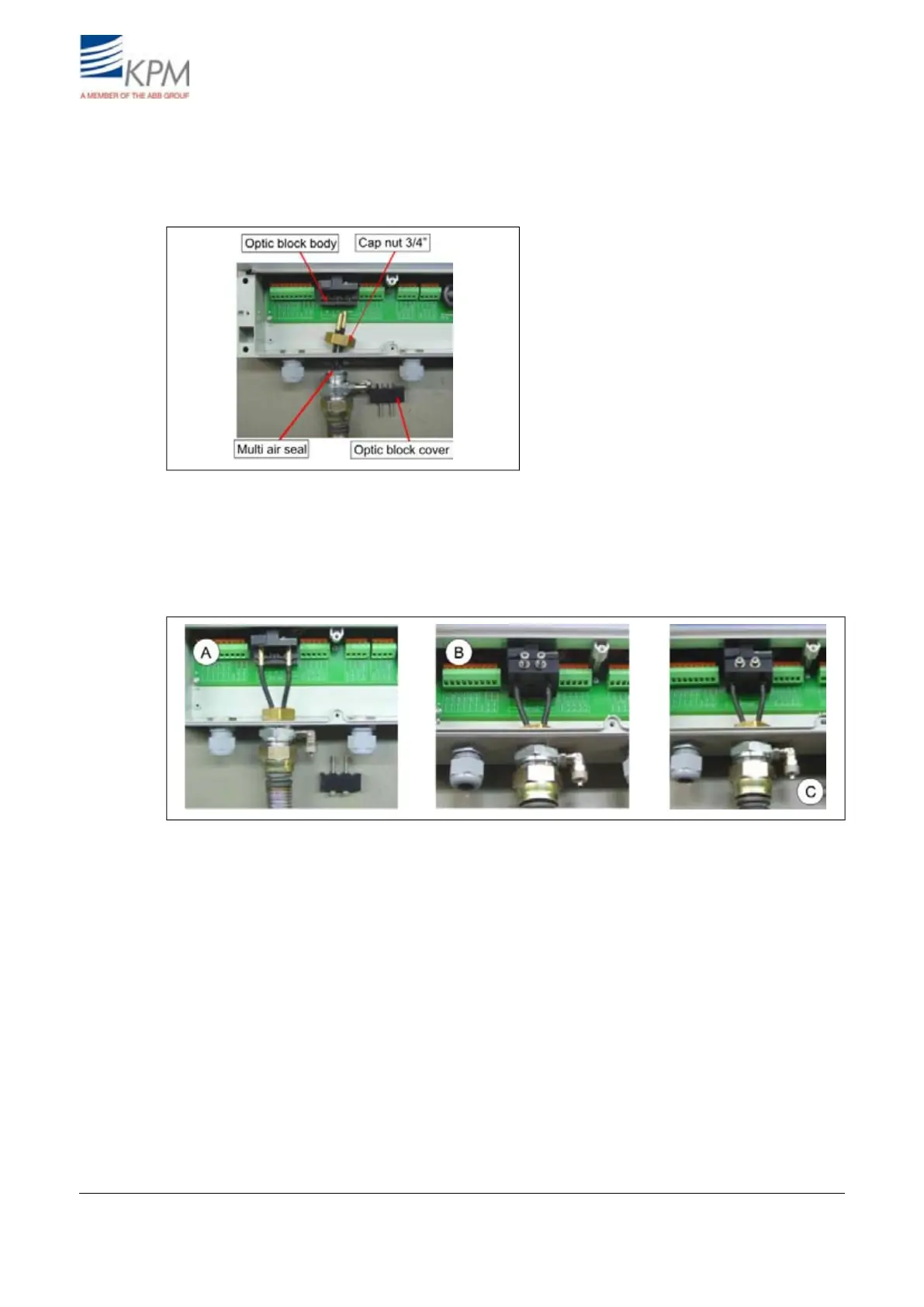
5. Open the optics block cover, slide the cables through the bushing hole, cap nut and tighten the
bushing loosely, fig. 2.8.
6. Insert one of the cables to the Rx slot and the other one to the RGB slot (or to IR slot if IR light
is used). It does not matter which one of the cables is connected to the Rx slot.
Fig. 2.8. Connecting cables to optical unit.
7. Lock the cables in place with the optic block cover, fig. 2.9. points A & B.
8. Fasten the optic block cover and tighten the cap nut of the cable bushing, points B & C.
9. Connect the instrument air 0.5 - 3.0 bar (7 - 40 psi) to the air inlet connector (point C) at the end
of the flexible conduit outside the display unit housing.
Fig. 2.9. Connecting cables to optical unit.
KB² Man W41100099V1.29August 2012


 To Next Page