2.4. Fiber-optic cable installation
NOTE: Handle fiber-optic cables with care. Do not pull strongly. Remove protective caps before connecting
to the optic block.
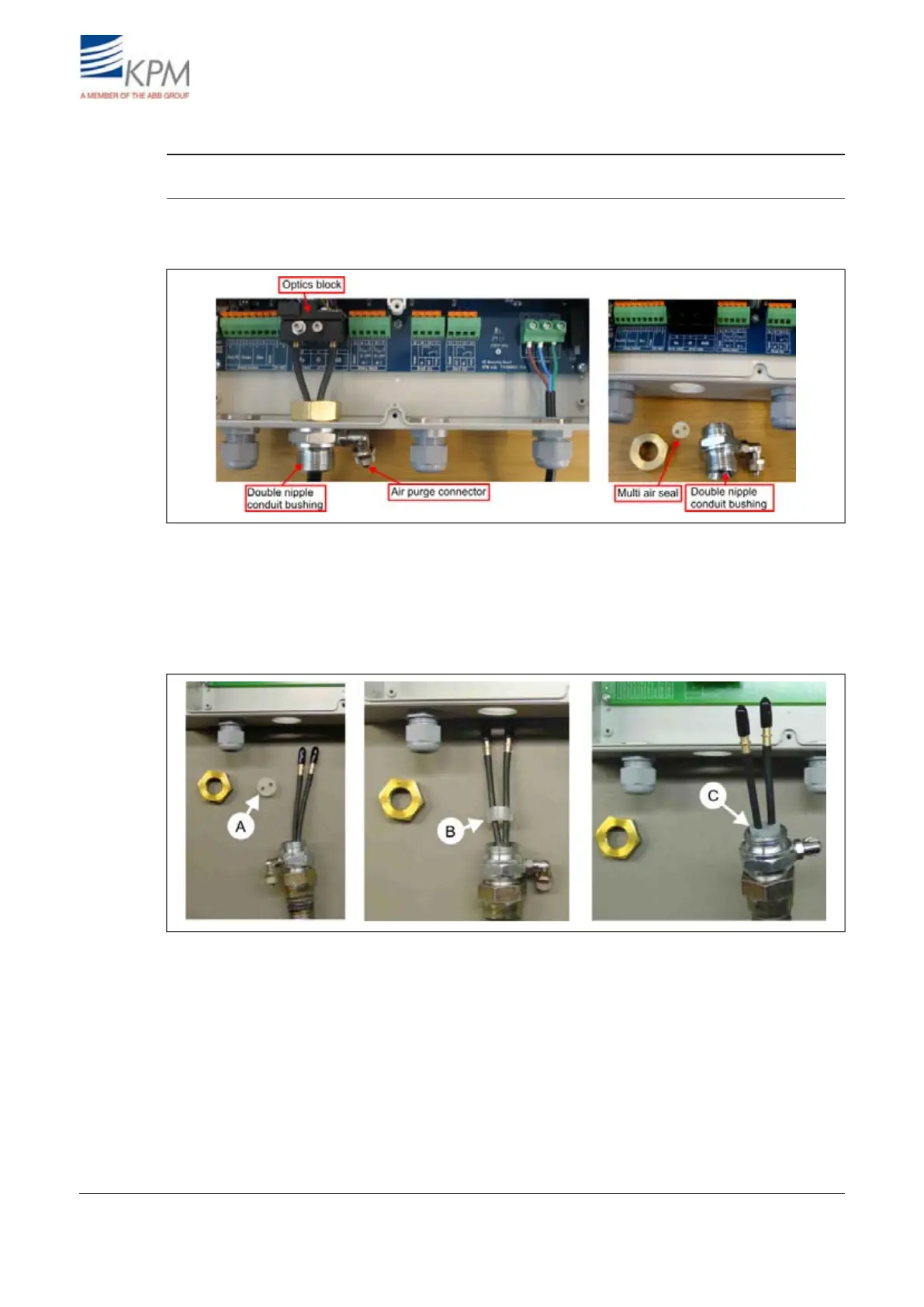
Route the flexible conduit with the fiber-optic cable inside it to the display unit.
1. Remove the conduit bushing from the display unit.
Fig. 2.6. Removing the conduit bushing from the display unit.
2. Guide the end of the fiber-optic cable through the conduit bushing and fasten the bushing to the
flexible conduit.
3. Place the multi air seal on top of the fiber-optic cables, fig. 2.7. point A & B.
4. Insert the multi air seal inside the conduit bushing, step C.
Fig. 2.7. Multi air seal inserting.
KB² Man W41100099V1.28August 2012


 To Next Page