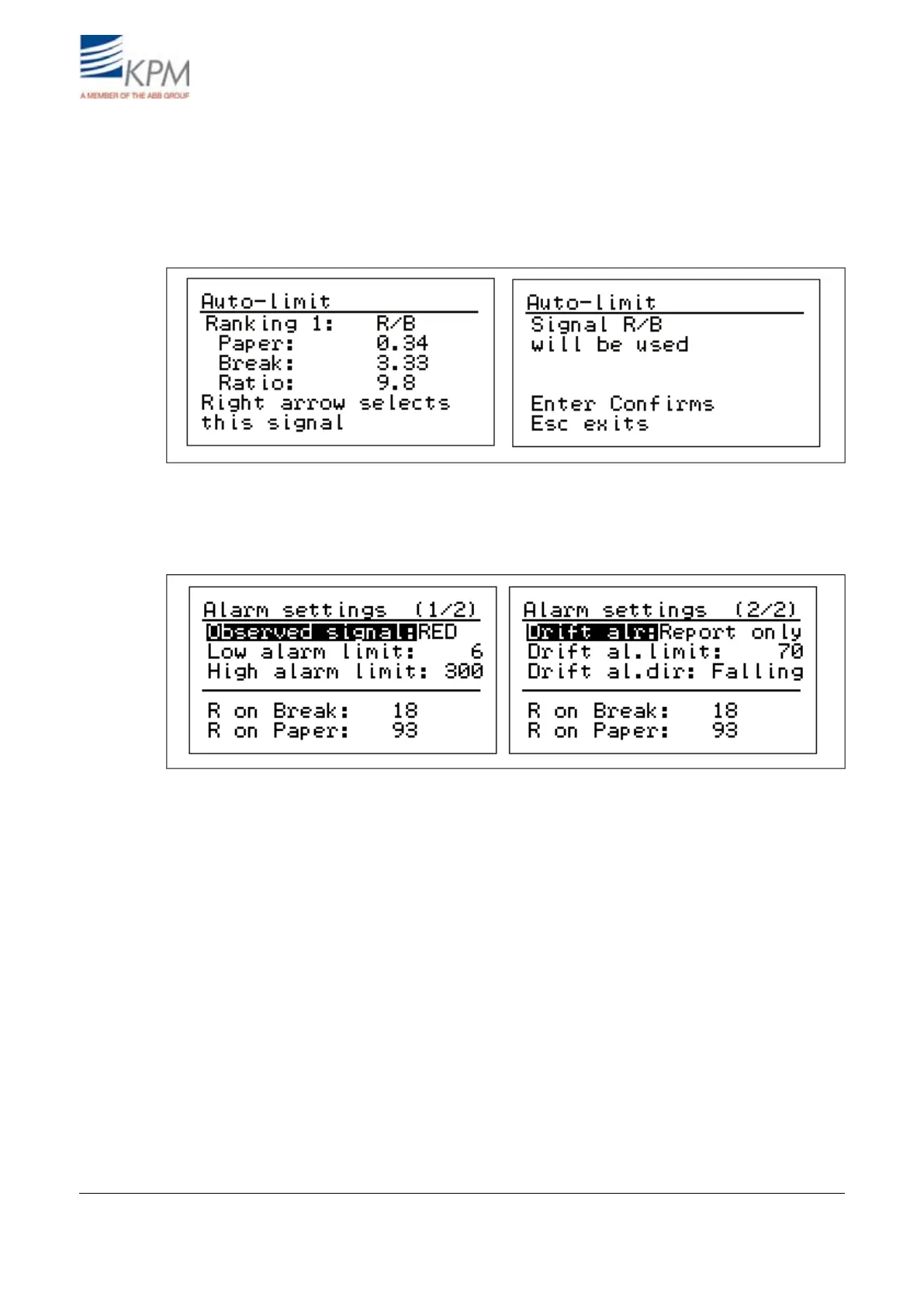
Calculate Auto-limit menu KB calculates the web-on to web-off ratio (Paper-to-Break Ratio) when
both cases has been stored as references in memory. KB also suggests the best signal for break detec-
tion and puts them in a ranking list. Normally the best signal is chosen for break detection by having
it in display and pressing right arrow and then "ENTER". Then KB sets the break trigger point
("Detection Limit") to 50 % of the difference between the web-on and the break-on levels for the
selected signal. The unit sets also automatically the detection direction.
Fig. 4.5. Calculating auto-limits.
Alarm settings:
KB can alarm in situations where the signal level is very low, very high or when signal drifts a lot.
Fig. 4.6. Alarm settings.
Observed signal: Select the R, G or B signal (IR in case of IR light source) which is used to monitor
this alarm. Normally the same signal is chosen into alarm as in break detection. Only one main color
can be chosen for alarming, no combination possible.
Low/High alarm limit: If a piece of paper gets stuck on the sensor head , signal level can go very
low or very high. The low and high alarm limits are set for this case. Alarm will go on if signal goes
below low limit (3 default) or over high limit (1000 default). Normally default values are OK.
Drift Alr: Drift alarm is used to give alarm in case measurement signal drifts. For example because
of dust or dirt on top of fiber optic lens or in the opening (makes it smaller).
There are three possibilities to use "Drift Alarm":
– Report only: In case drift is detected;
Alarm Relay is activated,
break detection and Break Relay continue to operate normally.
– Not in use: Drift detection is not used.
– Prev. break: In case of drift is detected;
Alarm Relay is activated,
break detection and Break Relay is not used (purpose is that KB will never give false Break output).
KB² Man W41100099V1.214August 2012


 To Next Page